4
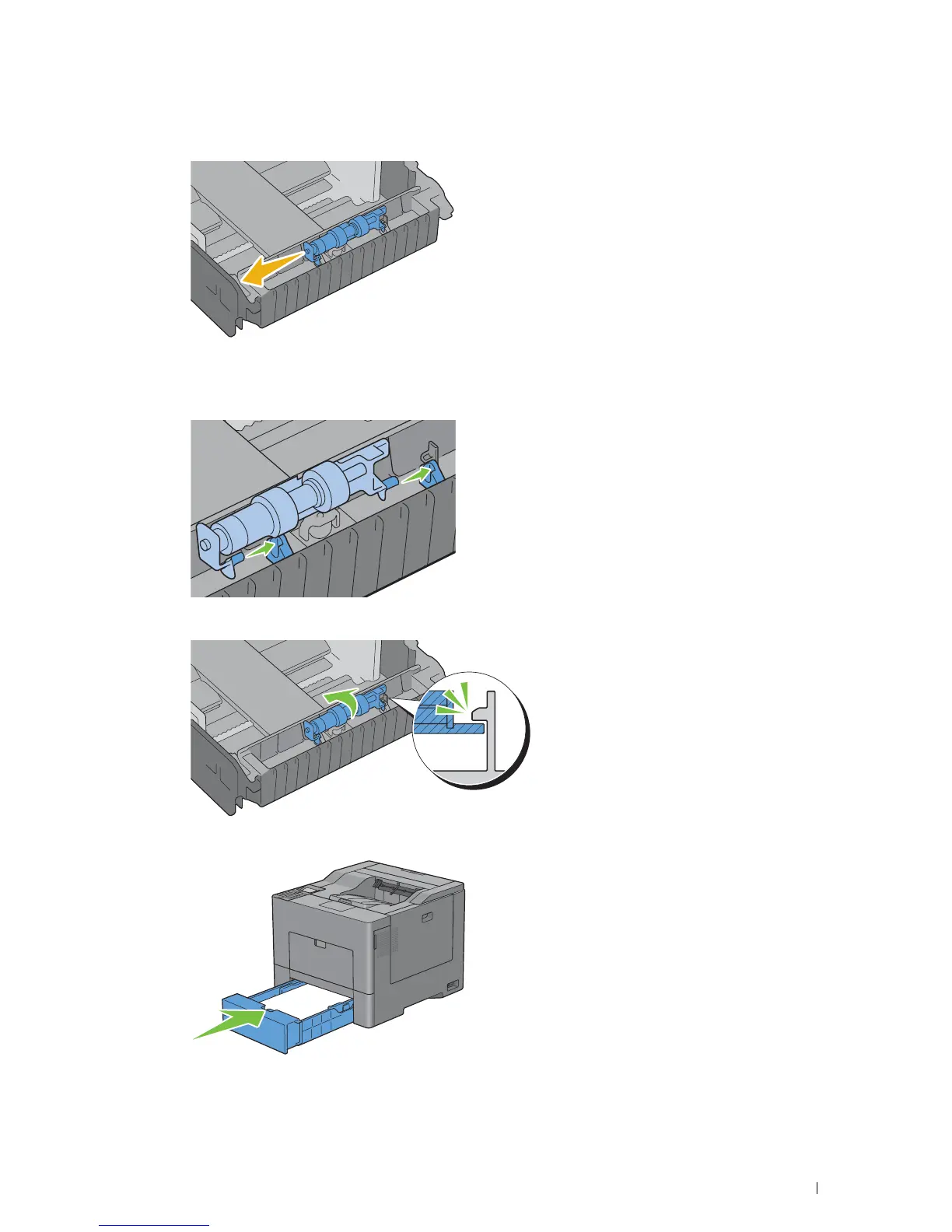
Slide the retard roller to the left to remove it from tray1.
Installing a Retard Roller in Tray1
1
Slide the two axles of the retard roller into the holes on tray1.
2
Press down the retard roller until it snaps.
3
Load paper in tray1, and then insert the tray into the printer and push until it stops.
Maintaining Your Printer 287














 To Next Page