6
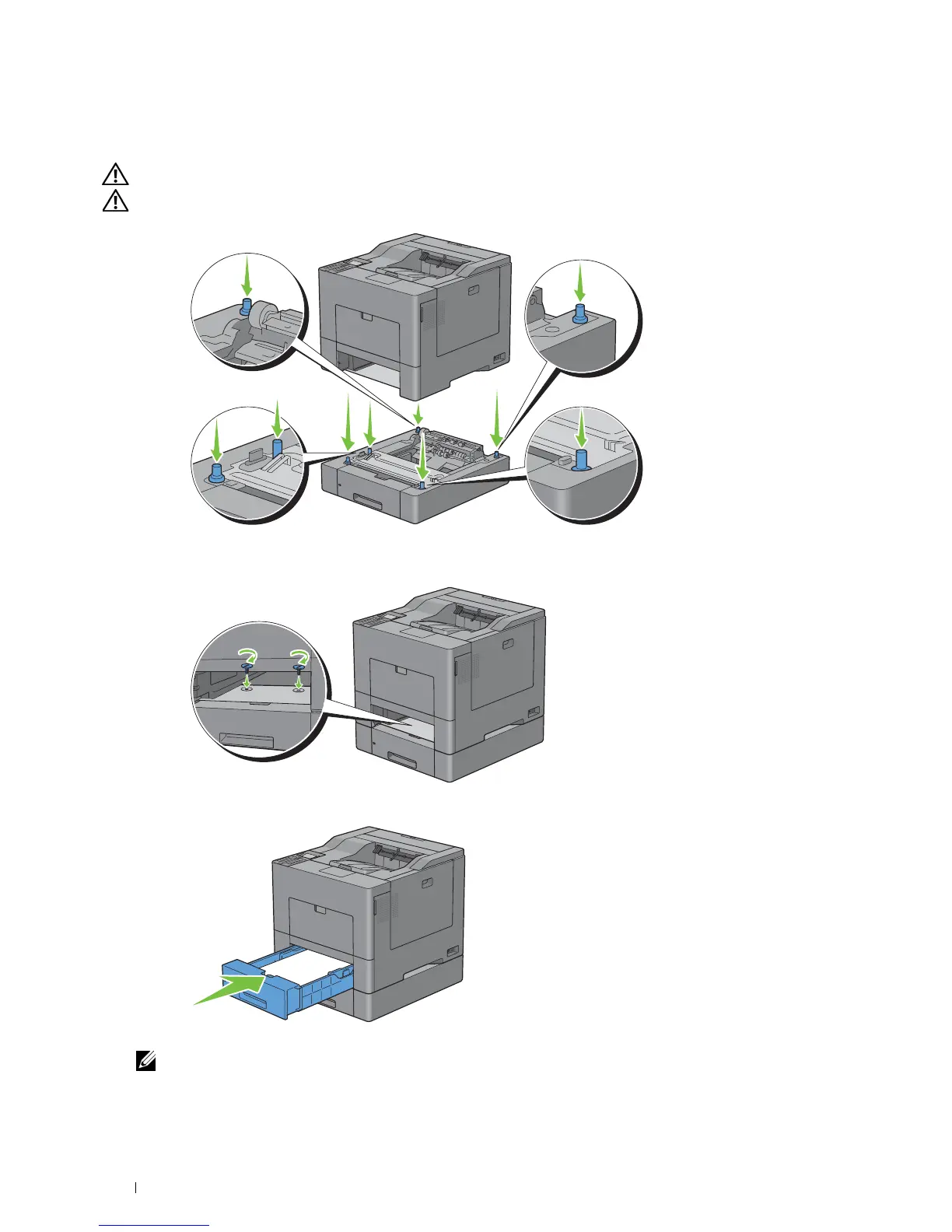
Lift the printer and align the five guide pins of the optional 550-sheet feeder with the holes at the bottom of the
printer. Gently lower the printer onto the optional 550-sheet feeder.
WARNING: Two people are required to lift the printer.
WARNING: Be careful not to pinch your fingers when lowering the printer onto the optional 550-sheet feeder.
7
Secure the optional 550-sheet feeder to the printer by tightening the two screws provided with the feeder, using a
coin or similar object.
8
Insert tray1 into the printer, and push until it stops.
Re-connect all cables into the back of the printer, and turn on the printer.
NOTE: The printer will automatically detect the attached tray but will not detect the paper type.
Installing Optional Accessories
38
9














 To Next Page