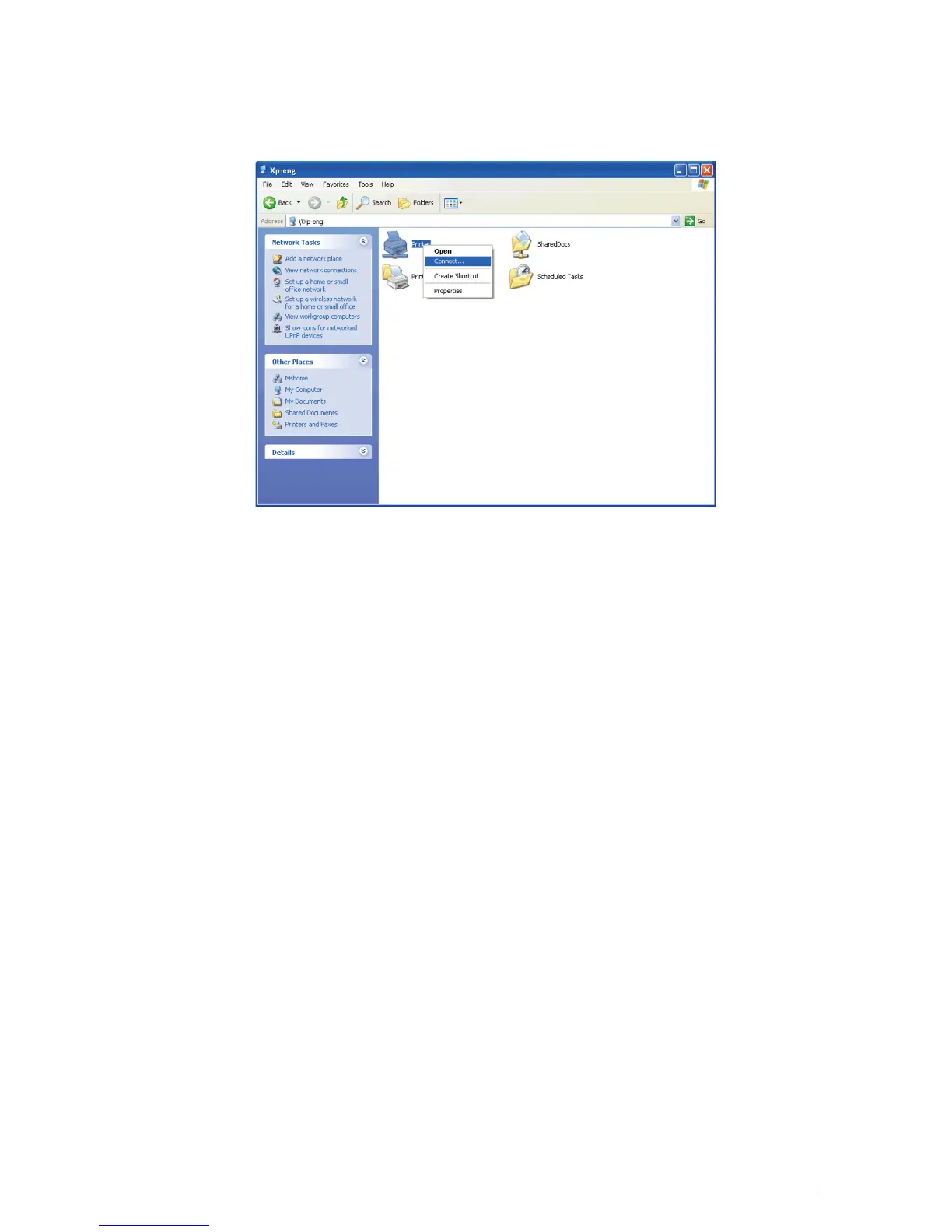
3
Right-click the shared printer name, and then click
Connect
.
Wait for the driver information to be copied from the server computer to the client computer, and for a new printer
object to be added to the
Printers and Faxes
folder. The copy time varies, based on network traffic and other
factors.
4
Close
My Network Places
.
5
Print a test page to verify installation.
a
Click
start
→
Printers and Faxes
.
b
Select the printer you just created.
c
Click
File
→
Properties
.
d
On the
General
tab, click
Print Test Page
.
When a test page prints successfully, installation is complete.
Windows Vista or Windows Vista 64-bit Edition
1
On the Windows desktop of the client computer, click
Start
→
Network
.
2
Locate the host name of the server computer, and then double-click the host name.
3
Right-click the shared printer name, and then click
Connect
.
4
Click
Install driver
.
5
Click
Continue
in the
User Account Control
dialog box.
6
Wait for the driver information to be copied from the server computer to the client computer, and for a new printer
object to be added to the Printers folder. The time this takes varies, based on network traffic and other factors.
7
Print a test page to verify installation.
a
Click
Start
→
Control Panel
→
Hardware and Sound
.
b
Select
Printers
.
c
Right-click the printer you just created and click
Properties
.
d
On the
General
tab, click
Print Test Page
.
When a test page prints successfully, installation is complete.
Installing Printer Drivers on Windows
®
Computers 75














 To Next Page