Keyboard Trim 20
Removing The Keyboard Trim
1. Follow the procedures in
Before Working On Your Computer
.
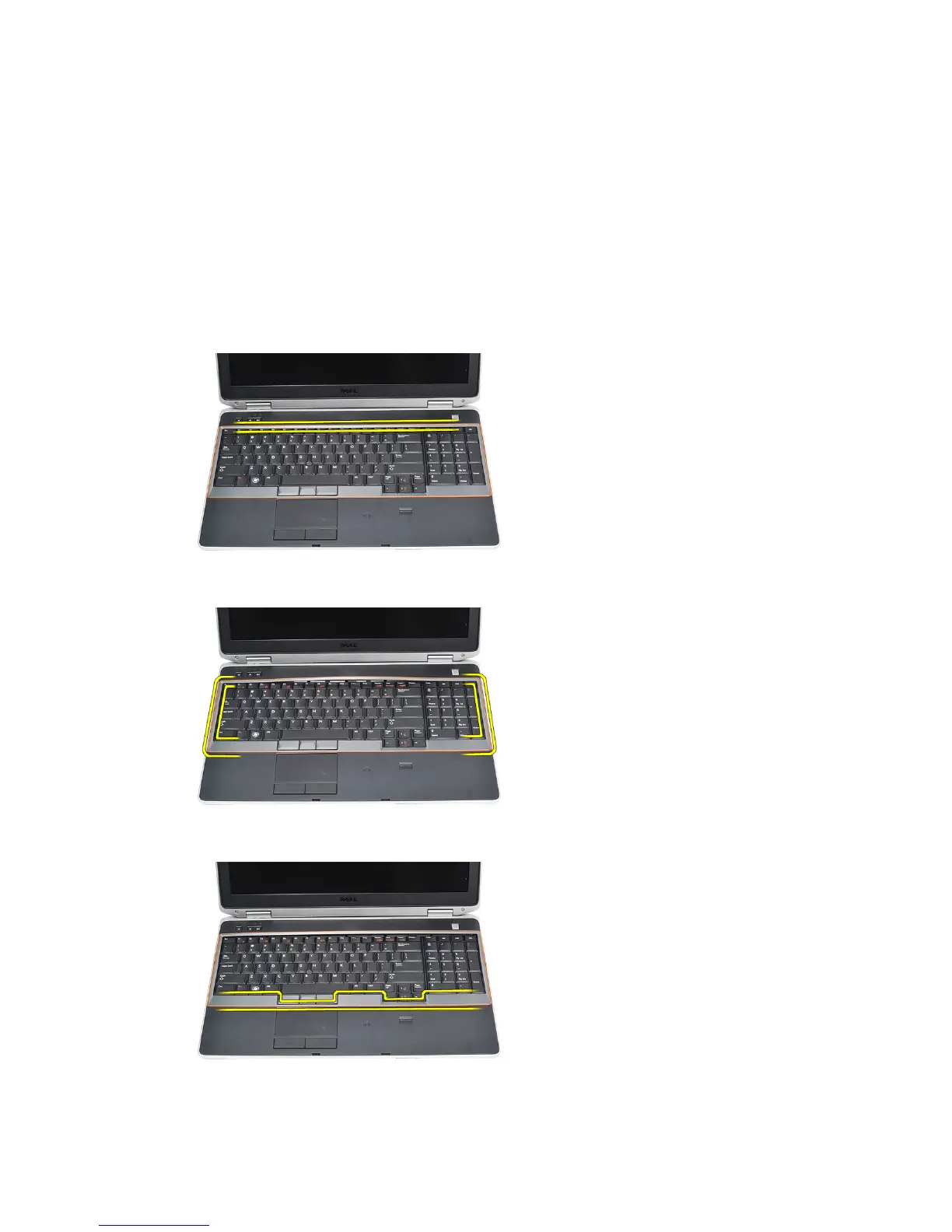
2. Using a plastic scribe, pry under the keyboard trim to release it from the
computer.
3. Lift the keyboard trim to release the tabs.
4. Pry up the keyboard trim from the bottom center.
5. Lift up to remove the keyboard trim from the computer.
53















 To Next Page