Wireless Switch Board 25
Removing The Wireless Switch Board
1. Follow the procedures in
Before Working On Your Computer
.
2. Remove the
battery
.
3. Remove the
base cover
.
4. Remove the
display assembly
.
5. Remove the
optical drive
.
6. Remove the
hard drive
.
7. Remove the
Bluetooth
.
8. Remove the
keyboard trim
.
9. Remove the
keyboard
.
10. Remove the
palm rest assembly
.
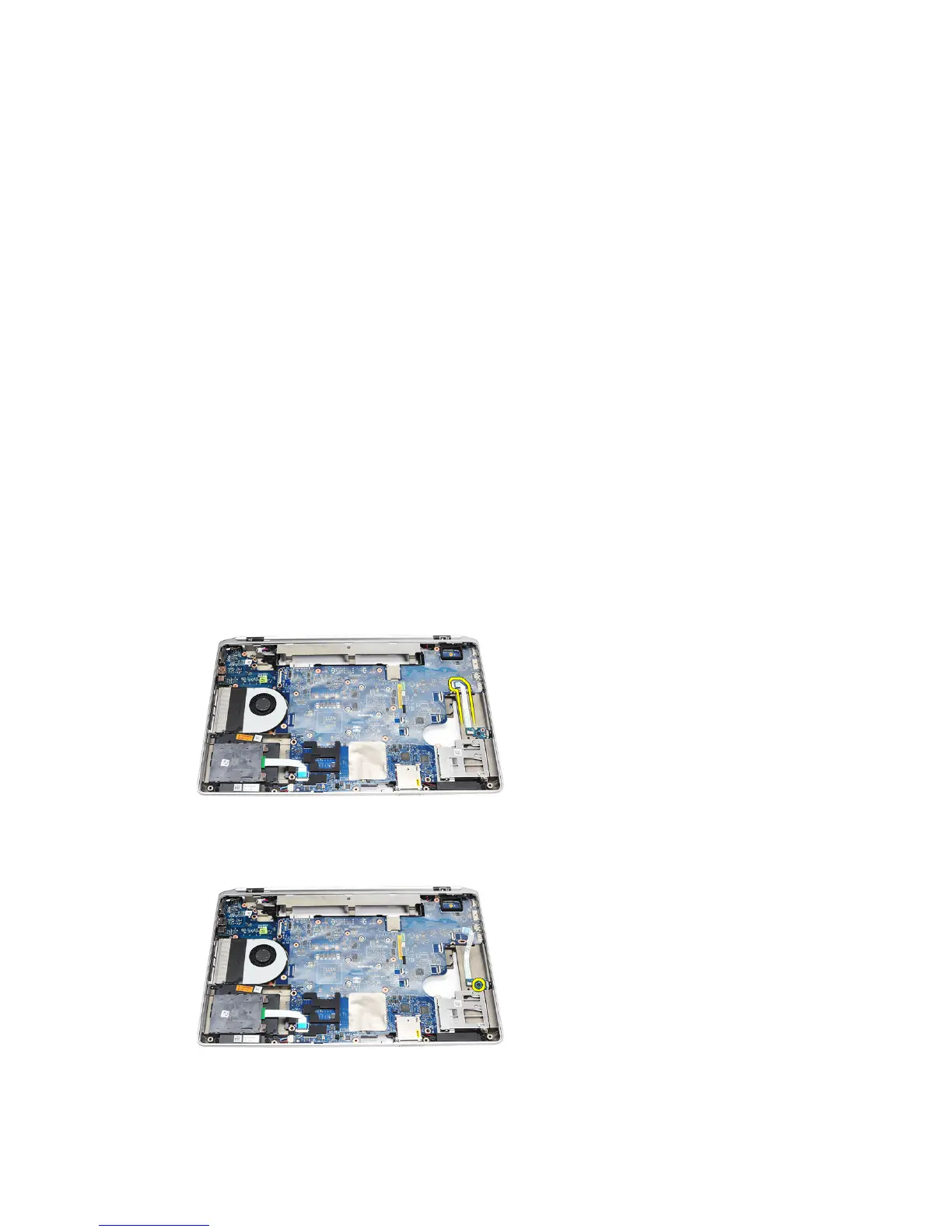
11. Remove the wireless switch cable from the system board.
12. Remove the screw from the system board.
13. Remove the wireless switch board from the computer.
67















 To Next Page