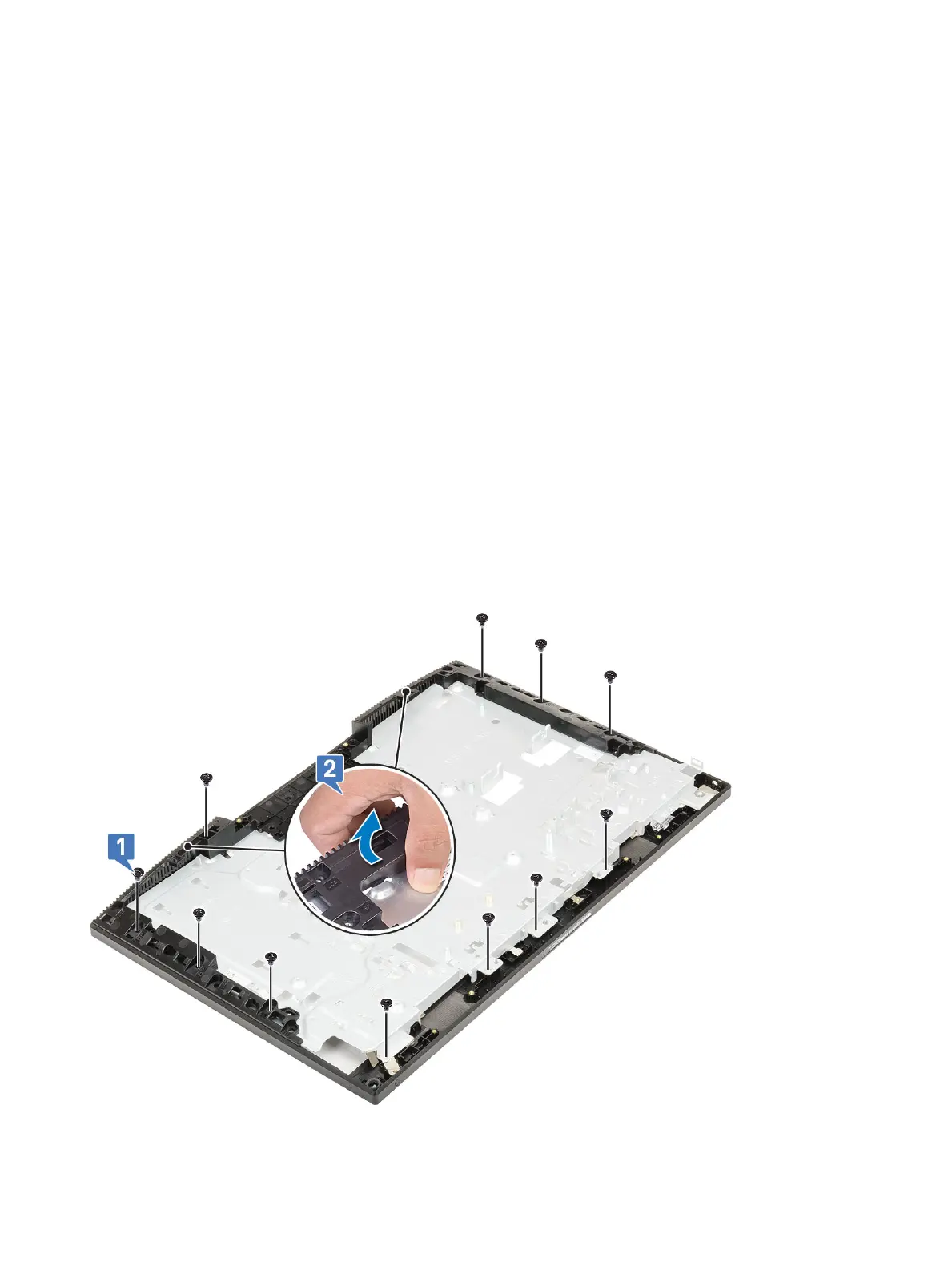
Removing the middle frame
1 Follow the procedure in Before working inside your computer.
2 Remove the following components:
a Stand
b Back cover
c Hard drive
d System board shield
e WLAN card
f System fan
g Camera
h Base cover
i PSU
j PSU fan
k I/O bracket
l System board
m Speakers
n Power button board
o Microphones
p I/O board
q Headset port
r Antennas
s Display panel
3 Remove the 11 screws (M3x5) that secure the middle frame to the display assembly base [1].
4 Slide and lift to release the tabs on the middle frame from the slots on the display assembly base [2].
5 Lift the middle frame o the display assembly base [1].
104
Removing and Installing components









 To Next Page