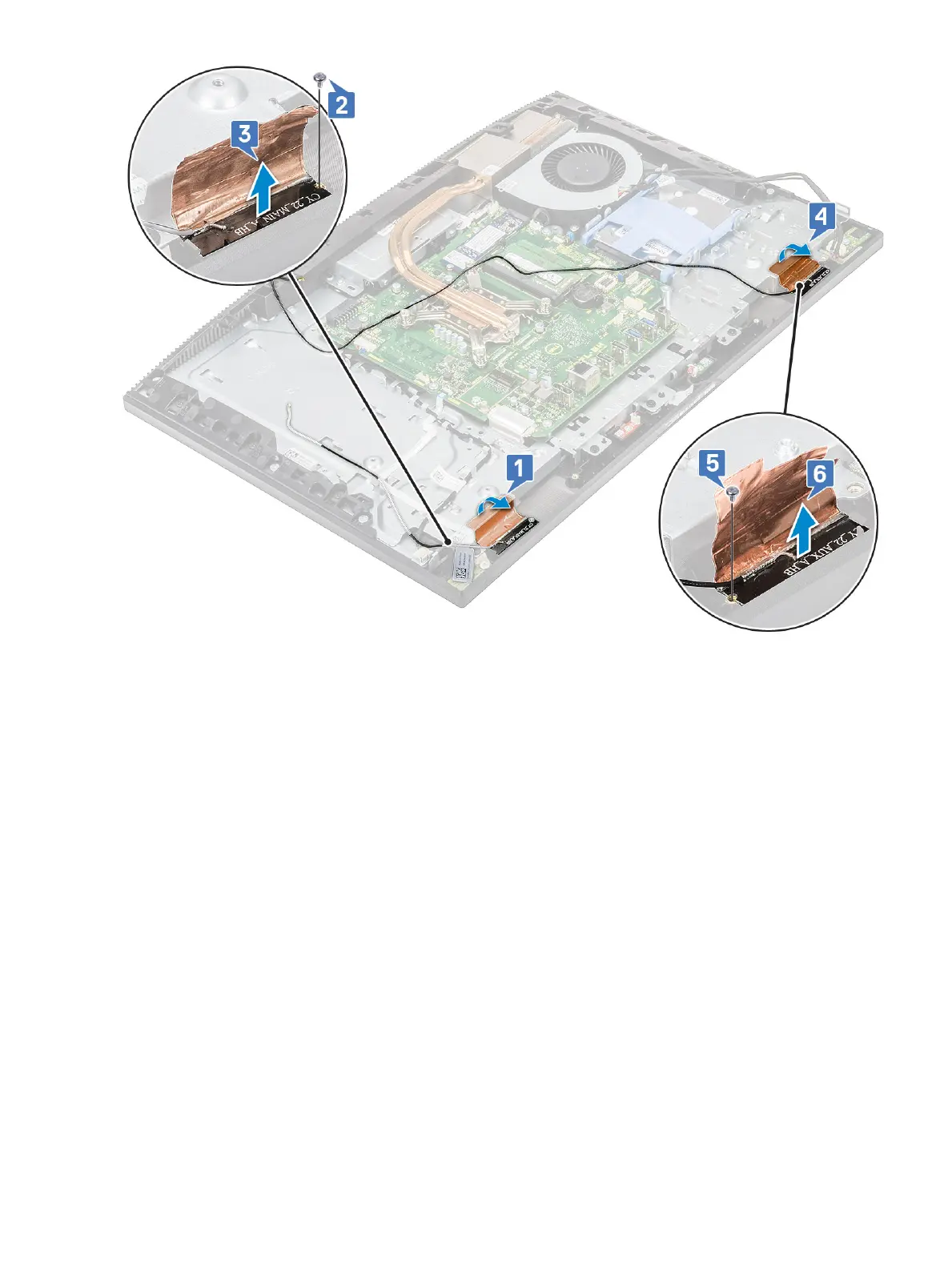
Installing the antennas
1 To replace the antenna modules:
a Align the antenna modules (2) with the slots on the middle frame [1,4].
b Replace the two screws (M2x2.52) that secure the antenna modules (2) to the middle frame [2,5].
c Adhere the tape that secures the antenna cables (2) to the middle frame [3,6].
Removing and Installing components
95















 To Next Page