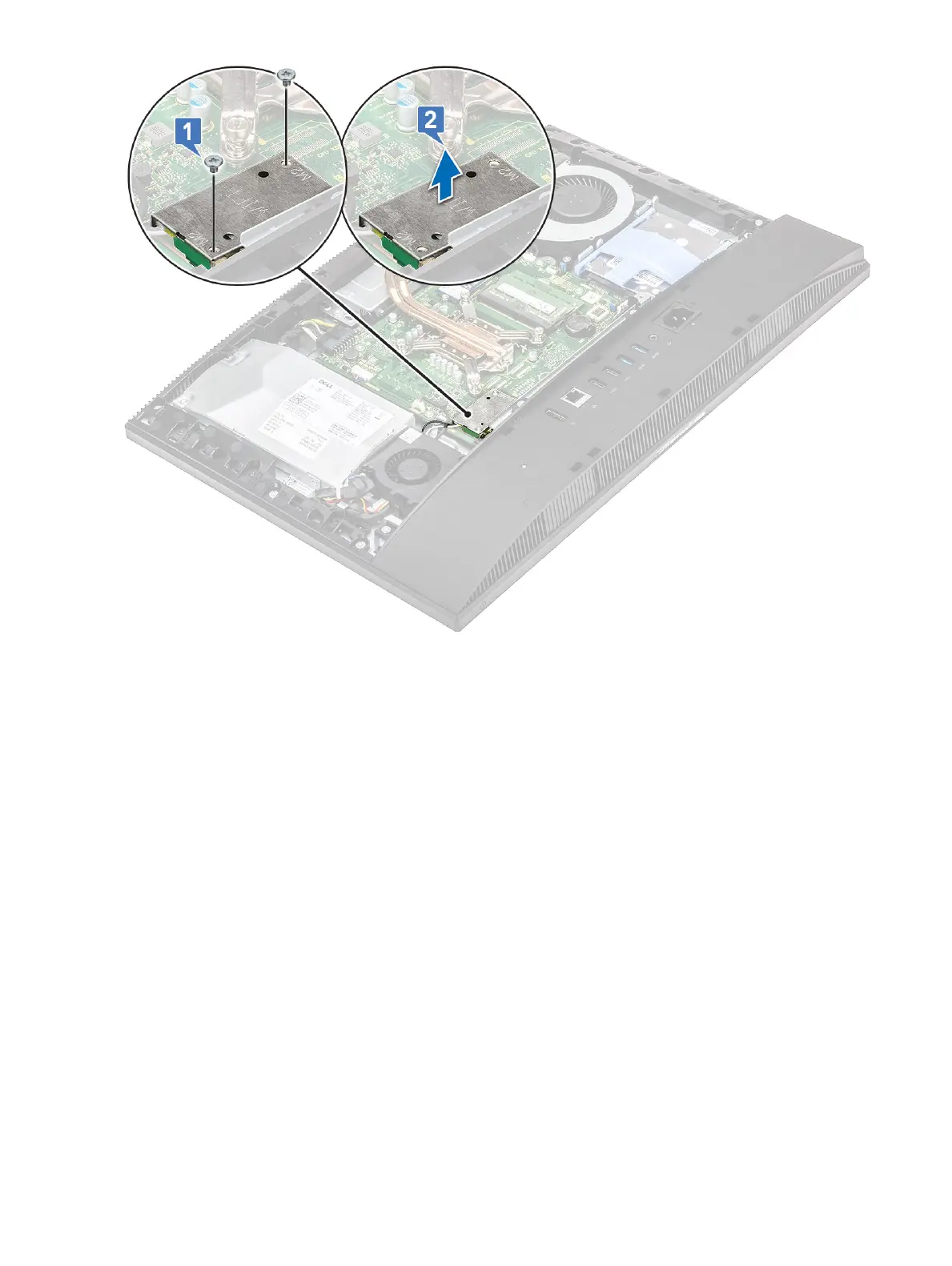
4 To remove the WLAN card:
a Remove the screw (M2x2.5) that secures the WLAN card bracket and the WLAN to the system board [1].
b Slide and lift the WLANs card bracket o the WLAN card [2].
c Disconnect the antenna cables from the WLAN card [3].
d Slide and remove the WLAN card out of the WLAN card slot [4].
38
Removing and Installing components









 To Next Page