Installing the WWAN card
Prerequisites
If you are replacing a component, remove the existing component before performing the installation procedure.
About this task
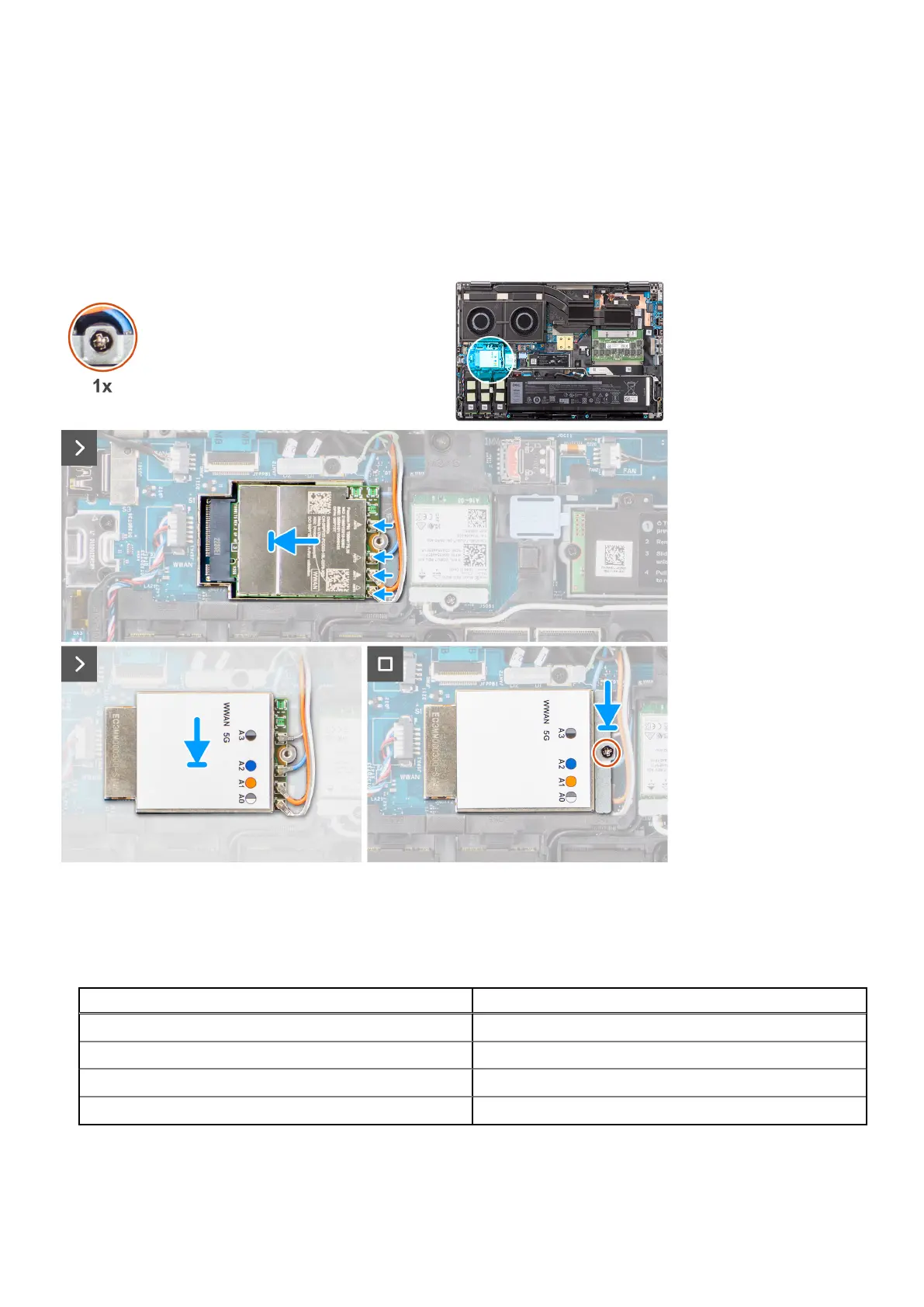
The figure indicates the location of the WWAN card and provides a visual representation of the installation procedure.
Steps
1. Connect the antenna cables to the connectors on the WWAN card. The following table provides the antenna-cable color
scheme for the WWAN card of your computer.
Table 3. Antenna-cable color scheme
Antenna Cable Color Pin Definition
White/Grey ANT0
Orange ANT1
Blue ANT2
Black/Grey ANT3
The connections are also printed on the WWAN card slot.
2. Align and slide the WWAN card to its slot on the system board.
Removing and installing components
39















 To Next Page