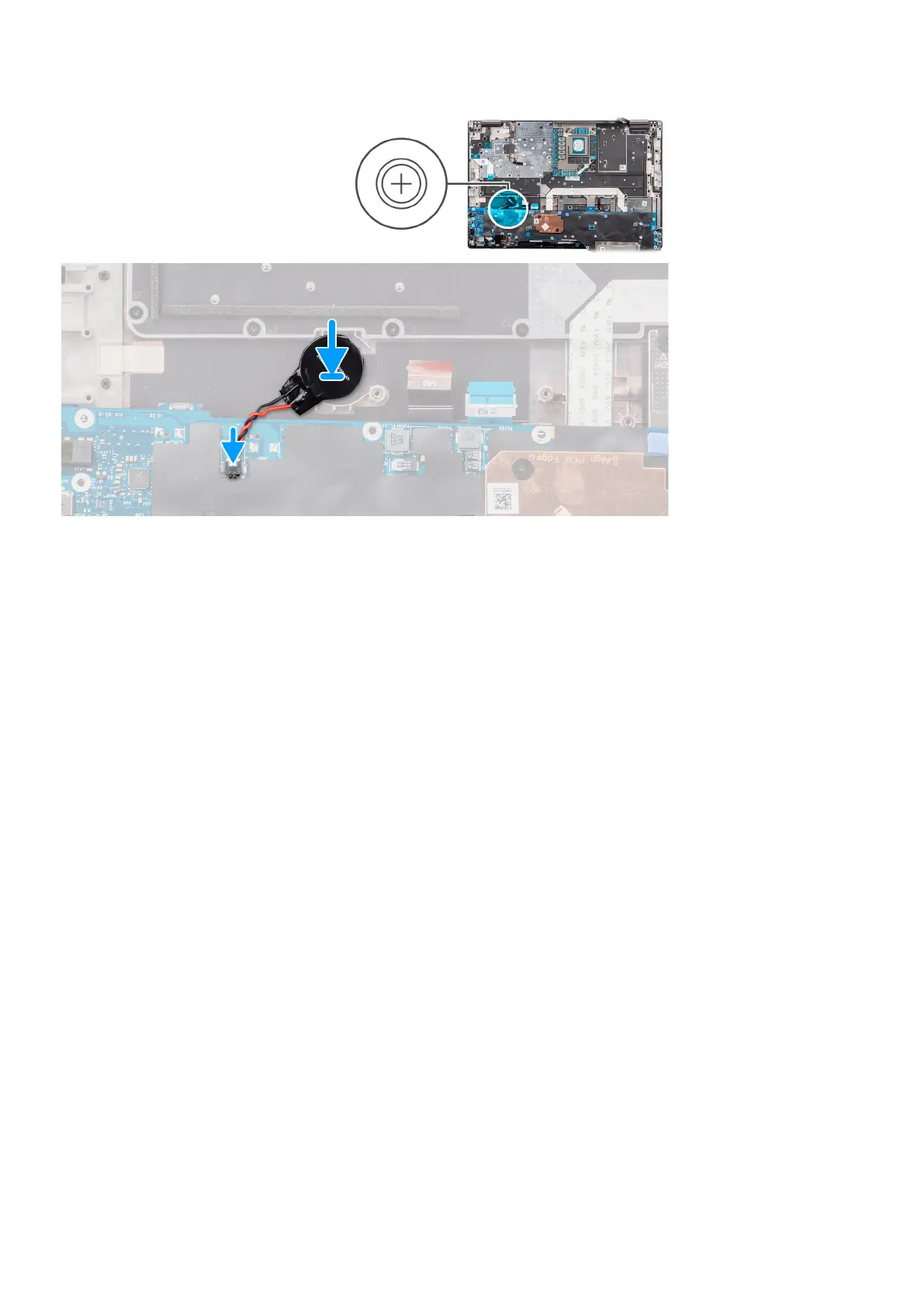
Steps
Adhere the coin-cell battery to the palmrest.
Next steps
1. Install the system board.
2. Install the inner frame.
3. Install the heat-sink for discrete graphics.
4. Install the secondary solid-state drive.
5. Install the primary solid-state drive.
6. Install the WWAN card.
7. Install the interposer board module.
8. Install the CAMM module or memory module.
9. Install the battery.
10. Install the SIM card.
11. Install the base cover.
12. Follow the procedure in after working inside your computer.
Display assembly
Removing the display assembly
Prerequisites
1. Follow the procedure in before working inside your computer.
2. Remove the base cover.
3. Remove the SIM card.
4. Remove the battery.
5. Remove the CAMM module or memory module.
6. Remove the interposer board module.
7. Remove the WWAN card.
8. Remove the primary solid-state drive.
76
Removing and installing components















 To Next Page