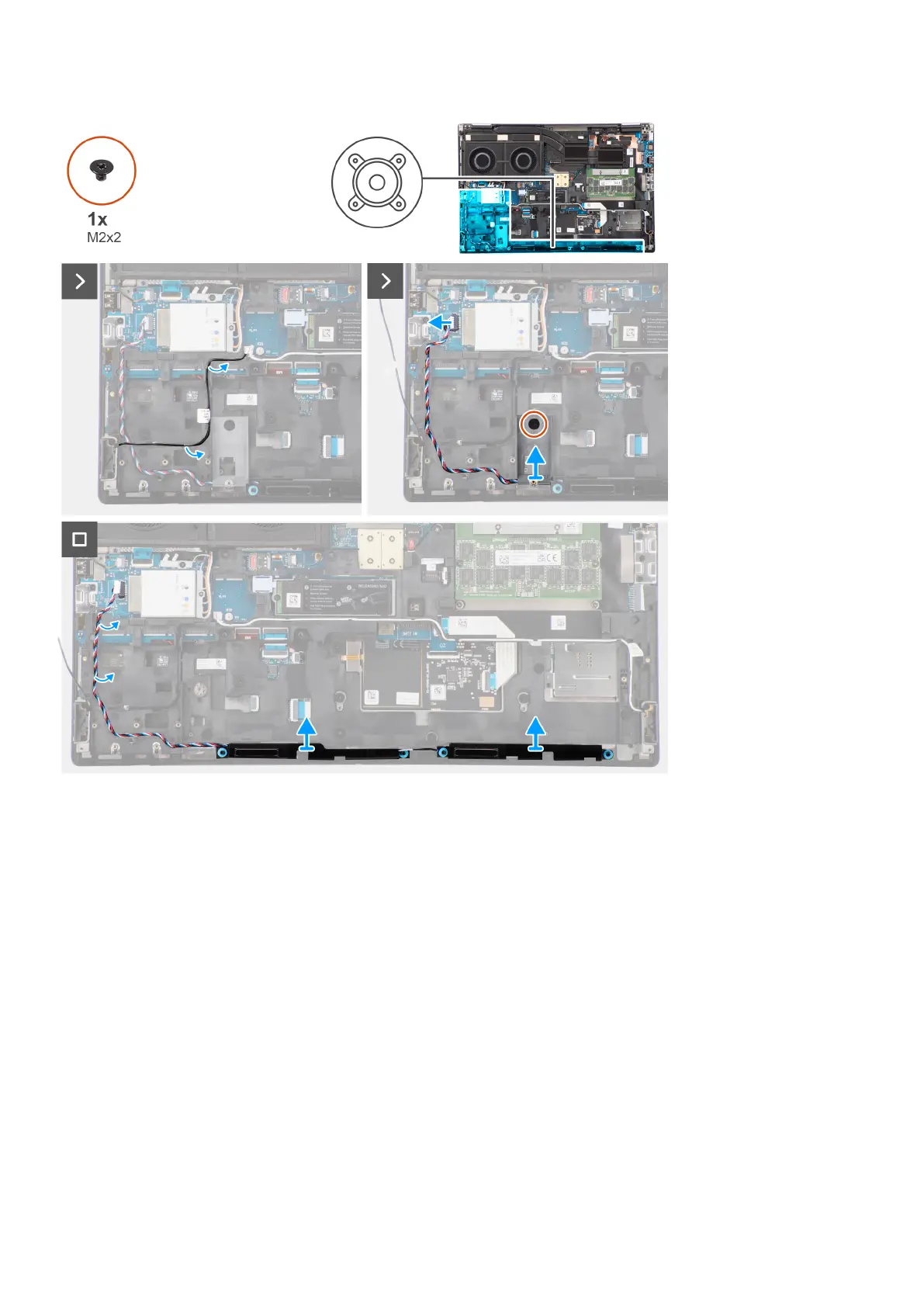
Steps
1. Disconnect the speaker cable from the system board.
2. Only for 93 Whr battery: Remove the (M2x2) screw that secures the SSD frame in the slot-2 SSD in place.
3. Unroute the speaker cable from the routing threads on the inner frame.
4. Pry the speaker module from its slot on the top edge of the palm rest.
5. Remove the speaker module from the system chassis.
Installing the speakers
Prerequisites
If you are replacing a component, remove the existing component before performing the installation procedure.
About this task
The figure indicates the location of the speakers and provides a visual representation of the installation procedure.
60
Removing and installing components















 To Next Page