Steps
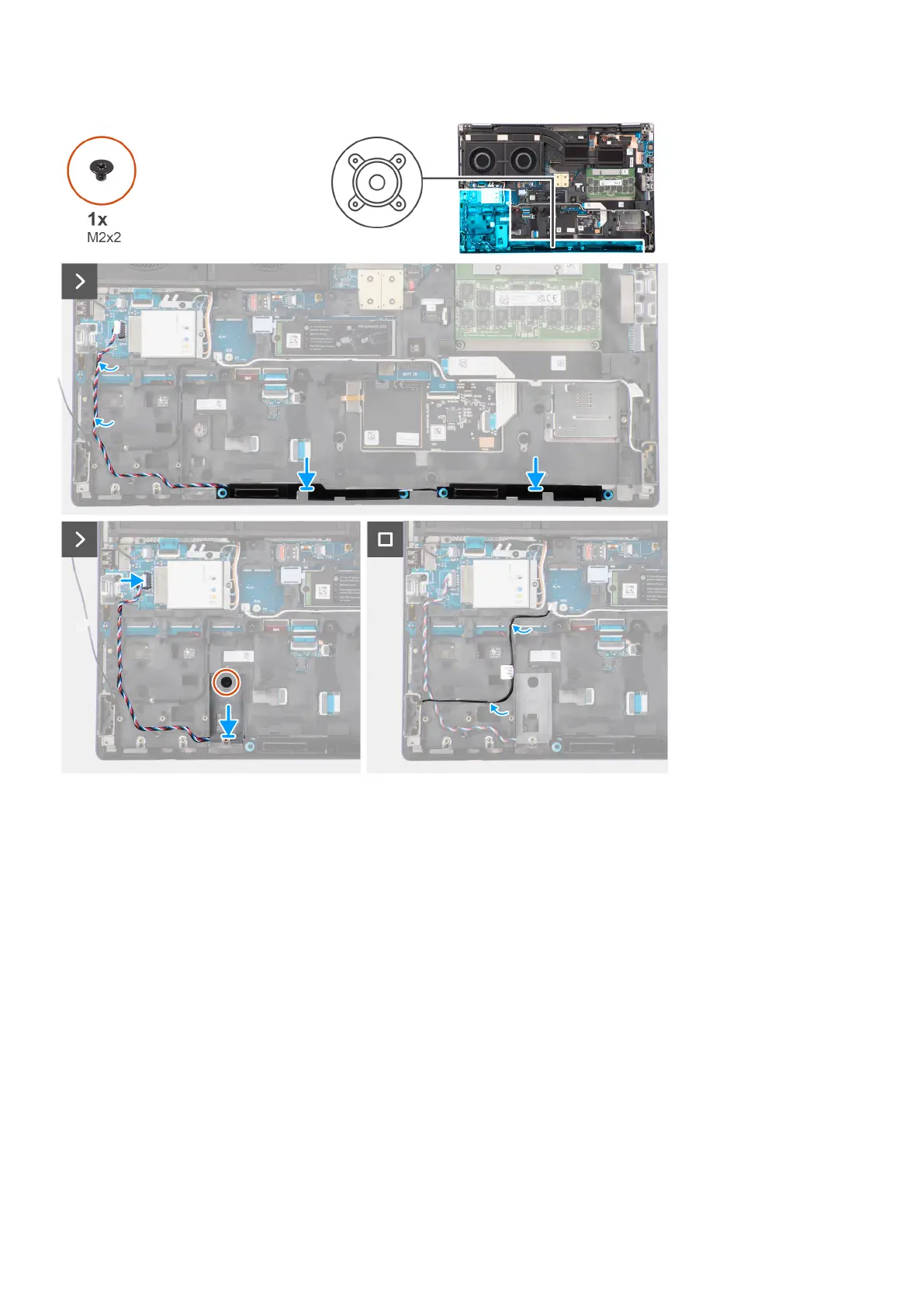
1. Align and place the speaker module into its slot on the top edge of the palm rest.
2. Route the speaker cable using the routing threads on the inner frame.
3. Only for 93 Whr battery: Replace the (M2x2) screw that secures the SSD frame in the slot-2 SSD in place.
4. Connect the speaker cable to its connector on the system board.
Next steps
1. Install the battery.
2. Install the secondary solid-state drive.
3. Install the primary solid-state drive.
4. Install the base cover.
5. Follow the procedure in after working inside your computer.
Removing and installing components
61















 To Next Page