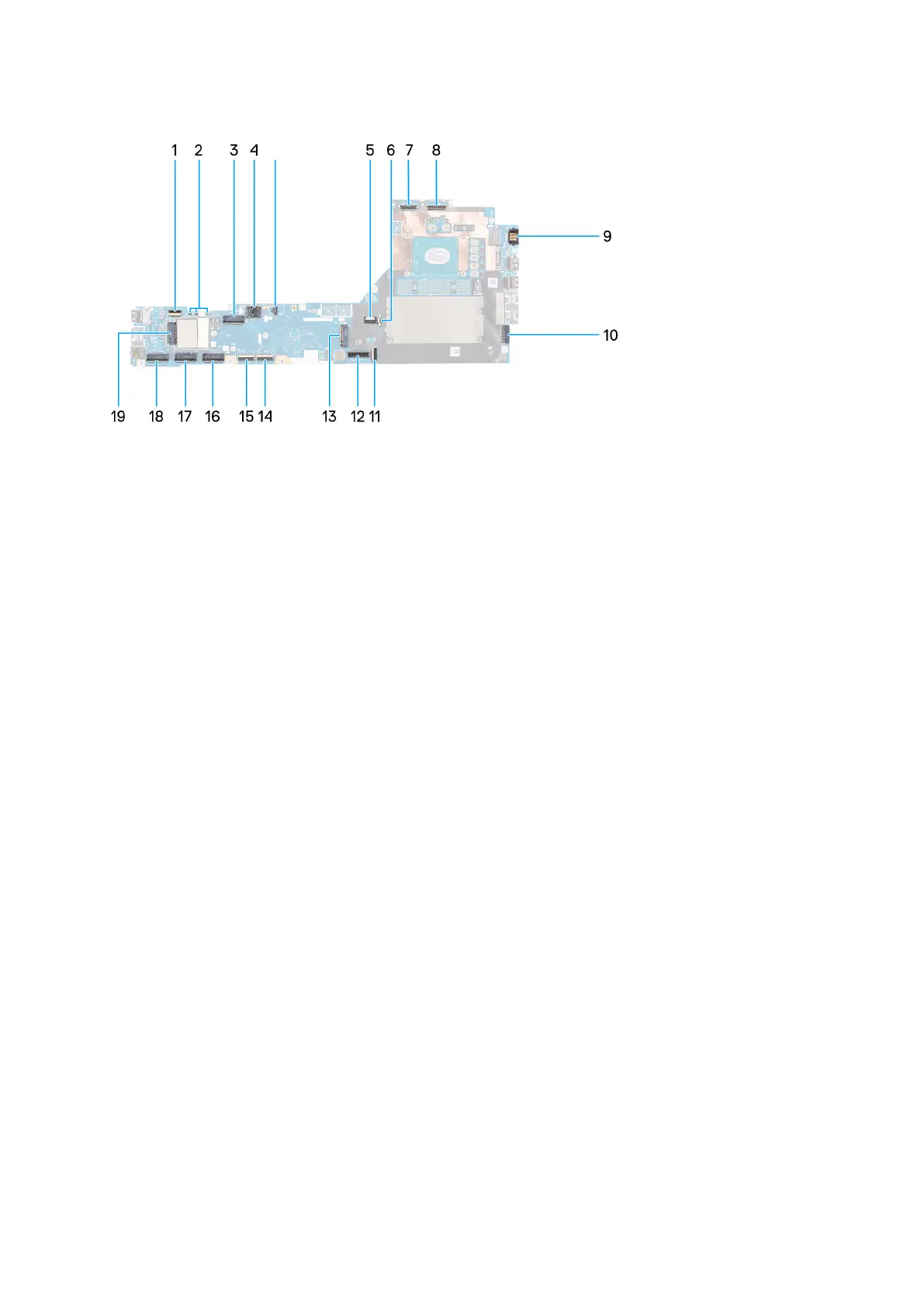
The following image indicates the connectors on your system board:
1. Fan cable connector
2. Power button FFC connector
3. WLAN card connector
4. SIM card slot
5. WWAN (Darwin) antenna connectors
6. SIM card slot
7. Fan cable connector
8. GPU power cable connector
9. IR camera cable connector
10. Display cable connector
11. LAN port
12. Power adapter cable connector
13. Touchpad cable connector
14. Battery cable connector
15. M.2 SSD slot 5 connector
16. USH board cable connector
17. SD card reader FPC cable connector
18. WLAN antenna cable connectors
19. M.2 SSD slot 2 connector
20. M.2 SSD slot 3 connector
21. WWAN card connector
22. M.2 SSD slot 4 connector
23. Speaker cable connector
Removing and installing components
69















 To Next Page