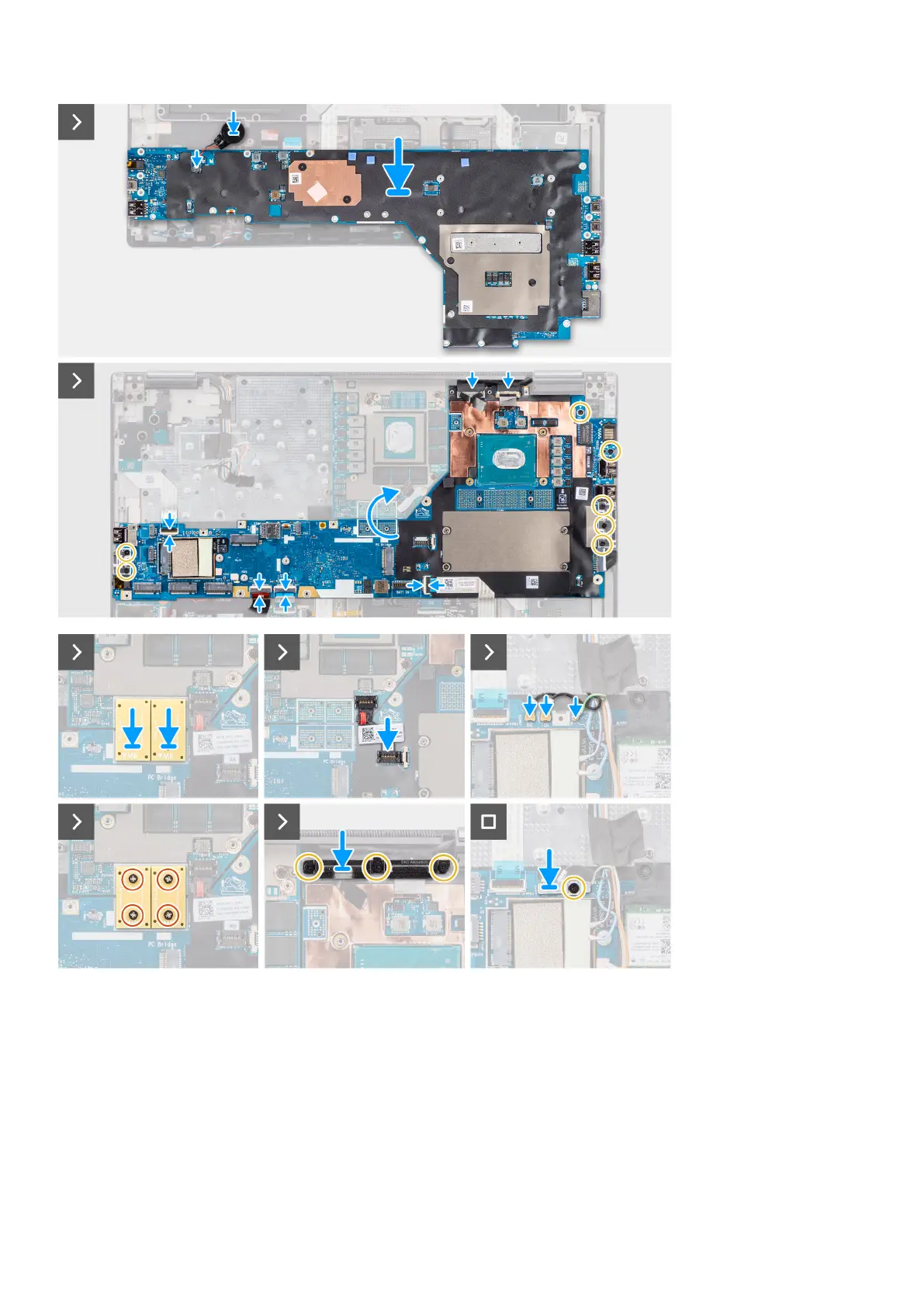
Steps
1. Connect the coin-cell battery cable to its connector on the system board and flip the system board.
2. Replace the seven (M2x5) screws to secure the system board to the computer chassis.
3. Replace the display cable bracket on the display cable.
4. Replace the (M2x5) screw to secure the display cable bracket to the system board.
5. Connect the power button board FFC from the system board, touchpad FFC, USH daughter board FFC (for models shipped
with a USH daughter board), and SD card reader FPC cables.
6. Connect the touch screen cable (for models shipped with a touch screen) or IR camera cable (for models that are shipped
with an IR camera) and display cable to their connectors on the system board.
Removing and installing components
73















 To Next Page