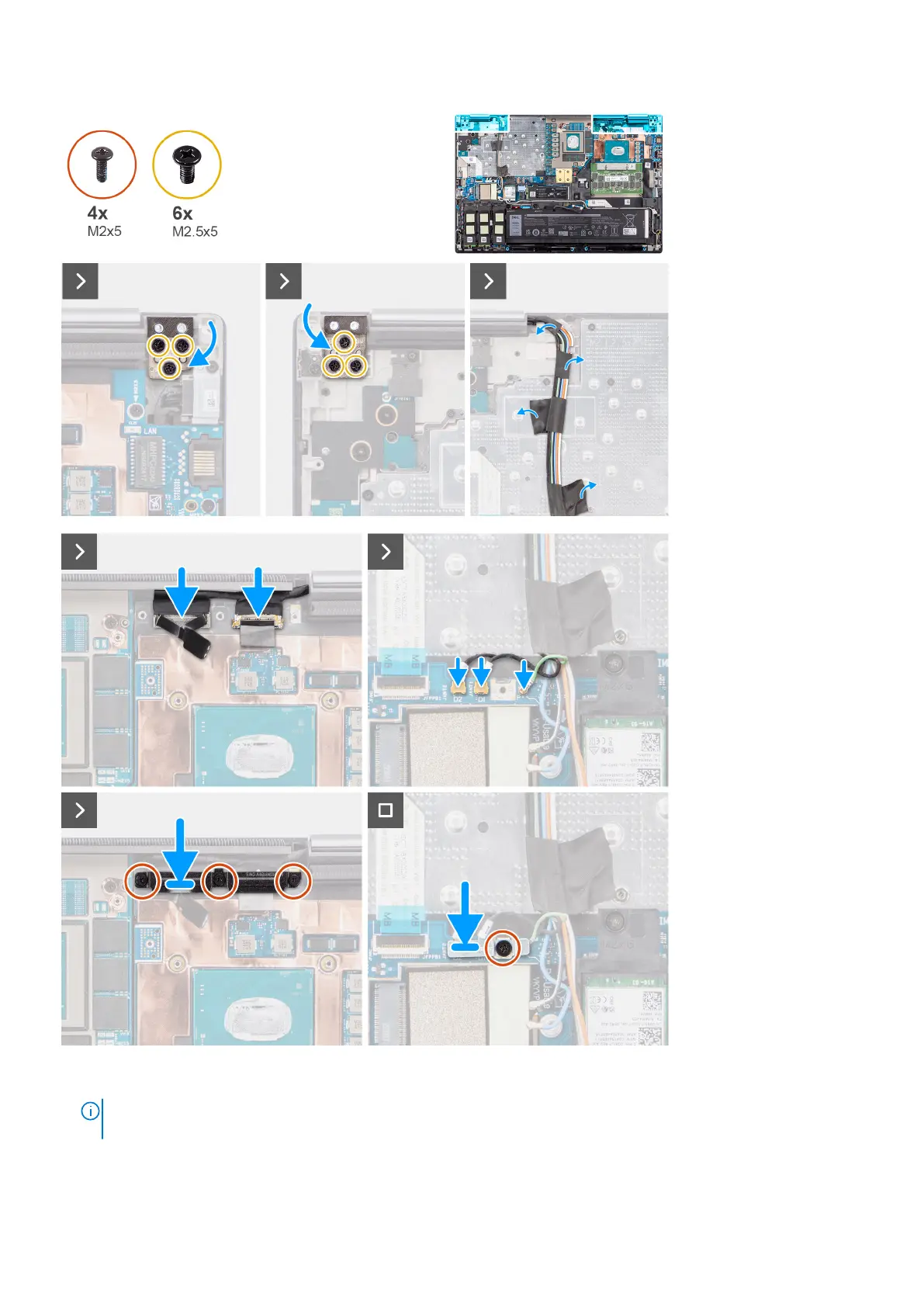
Steps
1.
NOTE:
Before installing the display assembly, ensure that the display hinges are opened to a 90-degree angle against
the display assembly, to fit the display assembly to the palm rest.
Align the screw holes on the hinges on the display assembly to the screw holes on the palm rest.
2. Replace the six (M2.5x5) screws to secure the hinges to the palm rest.
80
Removing and installing components















 To Next Page