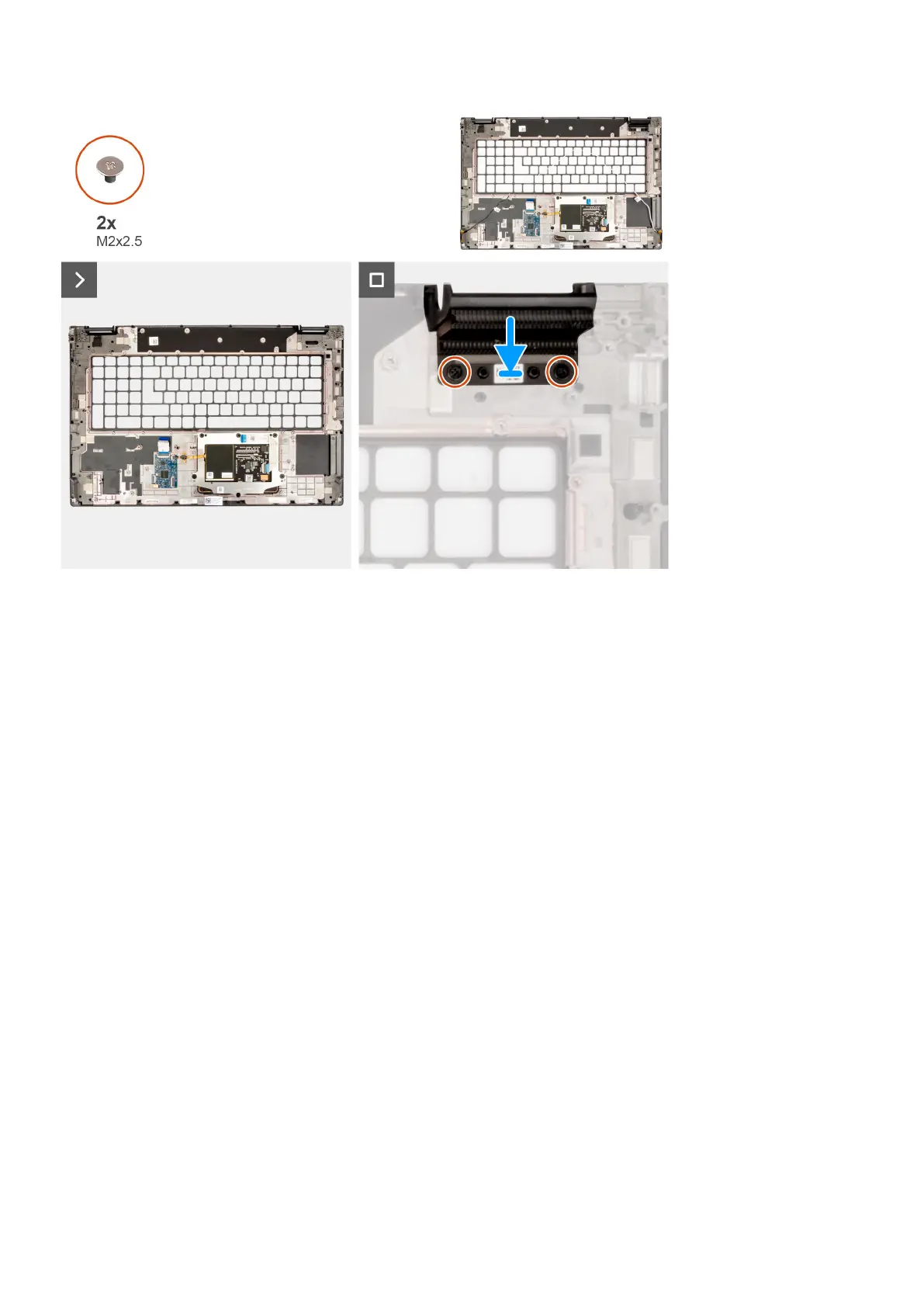
Steps
1. Align the right dummy fin to its slot on the palm rest.
2. Replace the two (M2x2.5) screws to secure the right dummy fin.
Next steps
1. Install the keyboard.
2. Install the smart card reader.
3. Install the power-adapter port.
4. Install the display assembly.
5. Install the coin-cell battery.
6. Install the system board.
7. Install the SD card reader.
8. Install the inner frame.
9. Install the speakers.
10. Install the power-button.
11. Install the power-button board.
12. Install the GPU power cable.
13. Install the GPU card.
14. Install the heat-sink for discrete graphics.
15. Install the secondary solid-state drive.
16. Install the primary solid-state drive.
17. Install the WWAN card.
18. Install the interposer board module.
19. Install the CAMM module or memory module.
20. Install the battery.
21. Install the SIM card.
22. Install the base cover.
23. Follow the procedure in after working inside your computer.
Removing and installing components
93















 To Next Page