89
BHT-1600 Handy Terminal User Manual
EDIT ACCESS POINT NAME
You may need to change the access point name according to the information obtained from
your mobile carrier.
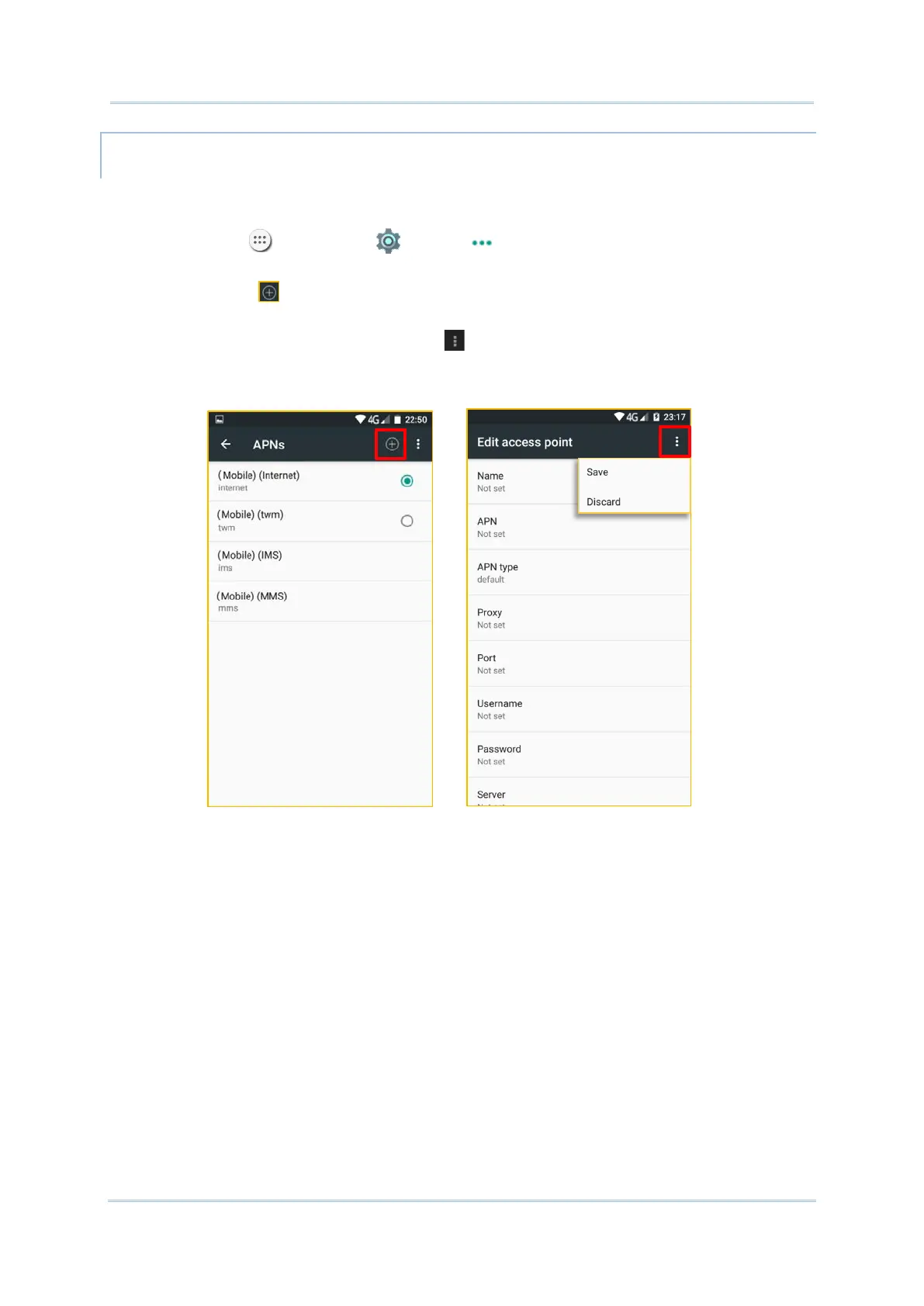
1) Tap All Apps | Settings | More | Cellular networks | Access Point
Names.
2) Tap the button , and tap each field to input the APN name and settings obtained from
your mobile carrier.
3) When finished, tap the settings button and tap Save.
4) Back to APNs page, Tap the radio button next to the APN you would like to apply.



 To Next Page