88
BHT-1600 Handy Terminal User Manual
4.1. USE WIRELESS WIDE AREA NETWORK
The handy terminal will be automatically configured to connect to your wireless service
provider’s network when you insert a SIM card and turn on data connection for the first time.
Please note, that the SIM card settings narrated in this section are dedicated to 4G model
only.
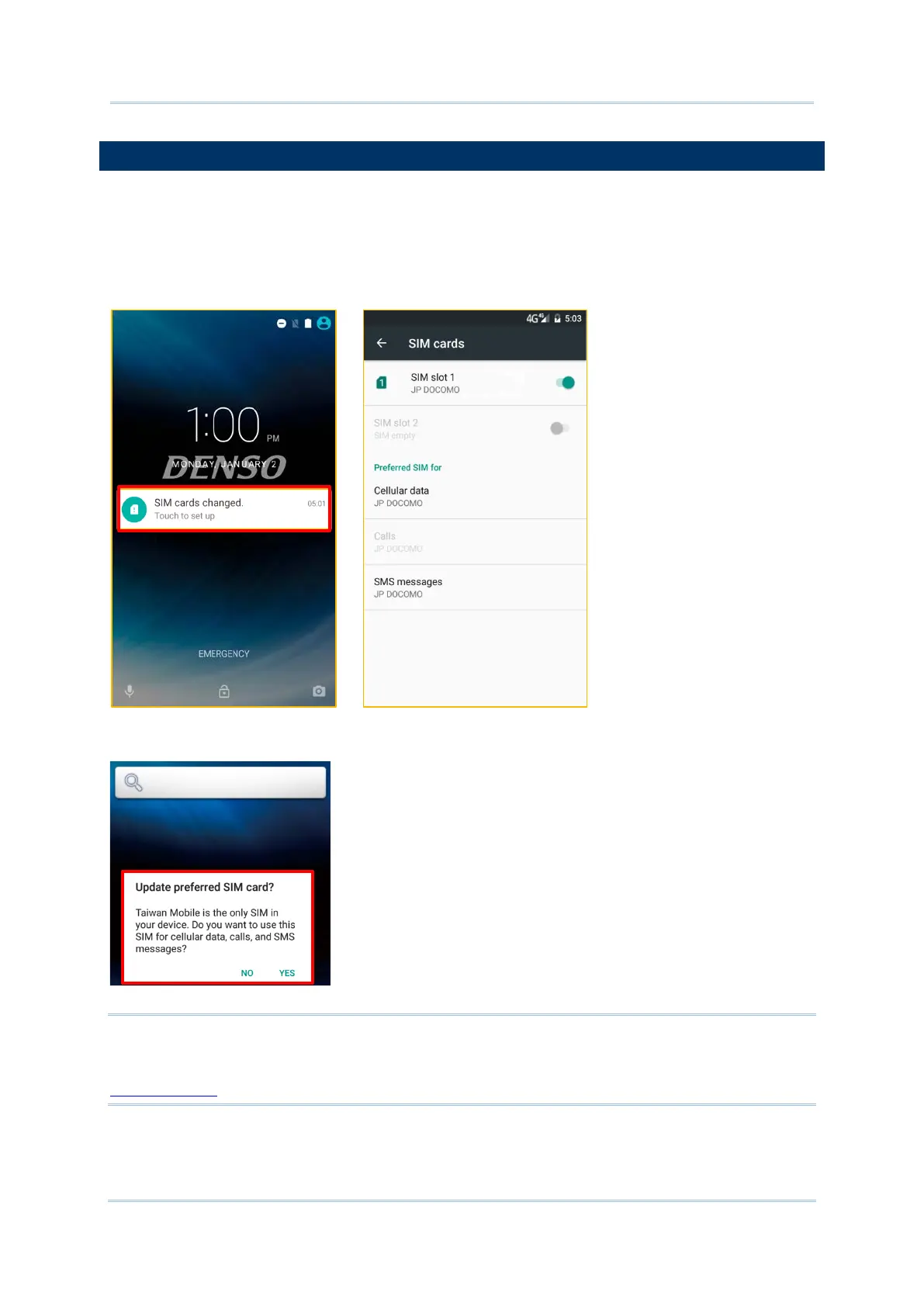
1) When a SIM card is inserted, a dialog will appear confirming the mobile carrier detected,
you may tap “Touch to set up” to enter the settings page.
2) If the SIM card you inserted is the only SIM in your device, you will be prompted to
confirm that this SIM used for all data services.
Note:
SIM card or SAM card relevant functions are only supported on 4G model. For more details
on specification-wise differences between 4G model and Wi-Fi Only model, please see
Specifications.



 To Next Page