75
BHT-1600 Handy Terminal User Manual
3.2. STATUS BAR
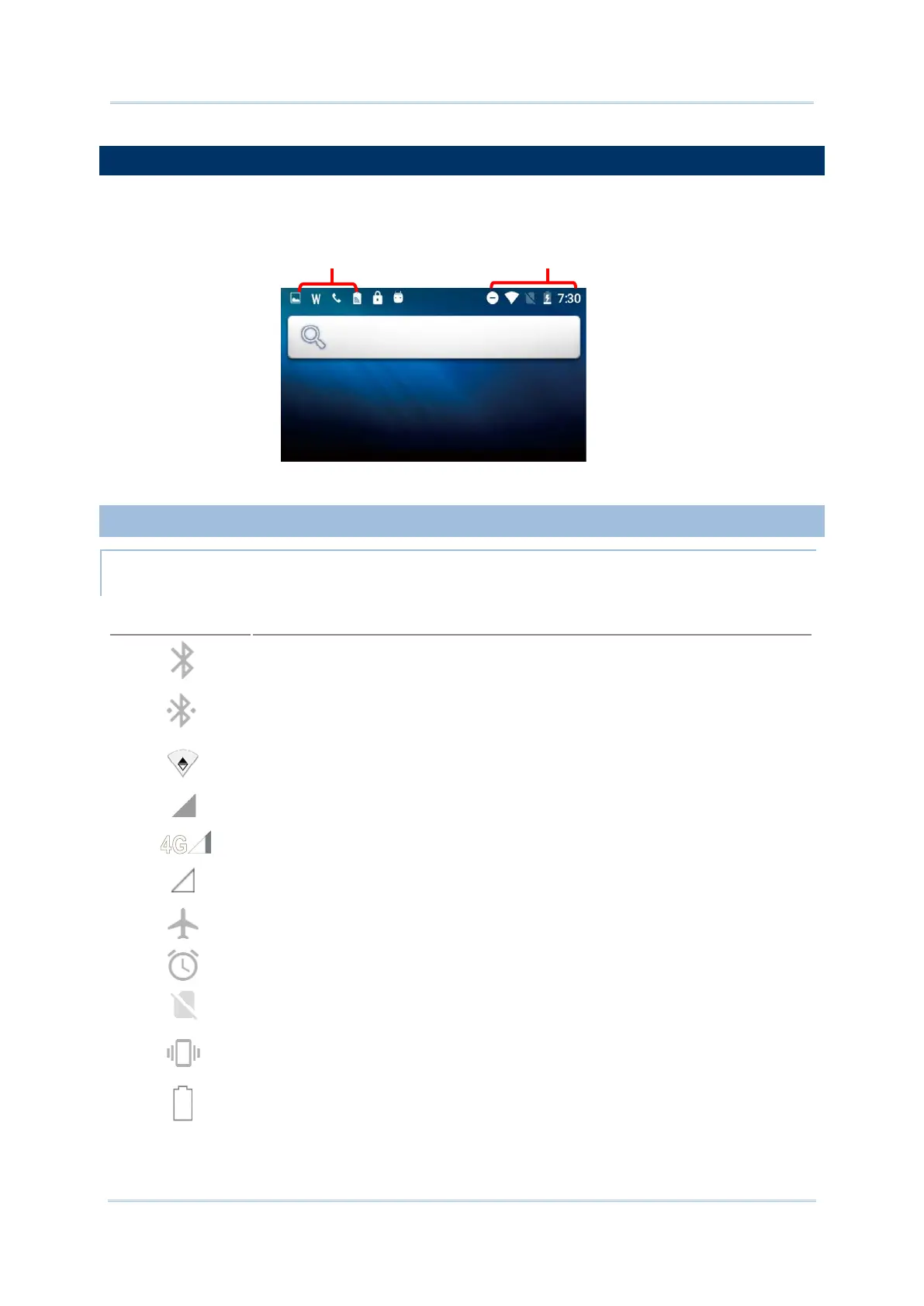
The left side of the status bar shows notification icons, and the right side of the status bar
shows status icons.
3.2.1. ICONS ON STATUS BAR
STATUS ICONS
Icon Description
Bluetooth is on.
The device has been connected to a Bluetooth device.
The device is currently connected to a Wi-
Fi network and performing data
transmission.
No mobile network signal (4G model only)
The device is currently connected to a 4G network. A symbol
will be shown on
the left to indicate the cellular data connection type (e.g. 3G). (4G model only)
Full mobile network signal (4G model only)
Airplane mode is active, which means all radios are inactive now.
Alarm is active.
No SIM card is inserted (4G model only)
All sounds are silent except for alarms (Vibration mode).
The main battery is fully charged.



 To Next Page