112
BHT-1600 Handy Terminal User Manual
5.2. PHONE APPLICATION (4G MODEL ONLY)
5.2.1. PHONE INTERFACE
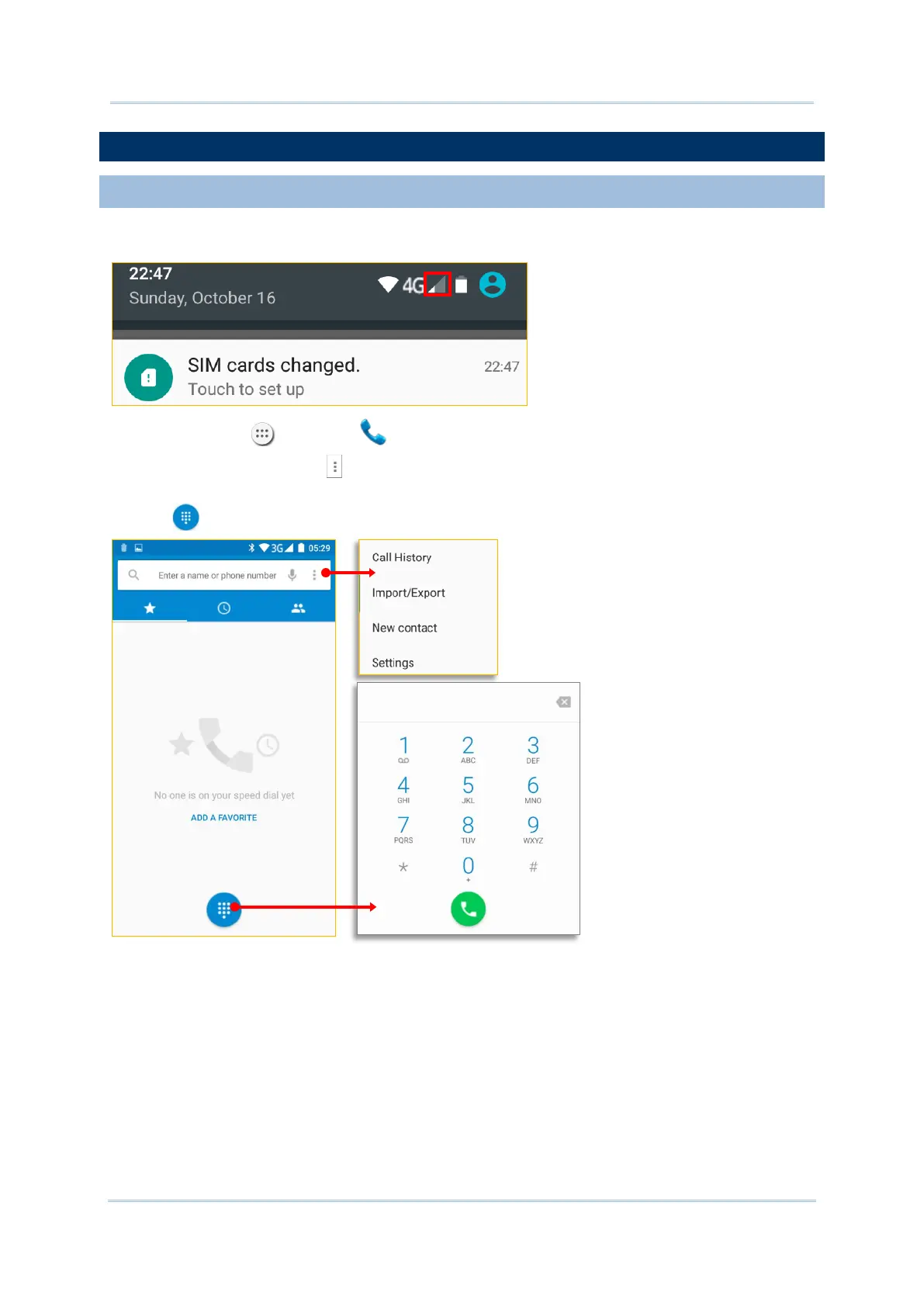
1) When a SIM card is installed on the handy terminal, a signal icon appears on the status
bar. The number of bars indicates the strength of the connection.
2) Tap All Apps | Phone . The Phone application opens.
3) Tap the settings button to open the phone settings menu for adding a new contact,
opening the People application.
4) Tap to open the dial pad.



 To Next Page