95
BHT-1600 Handy Terminal User Manual
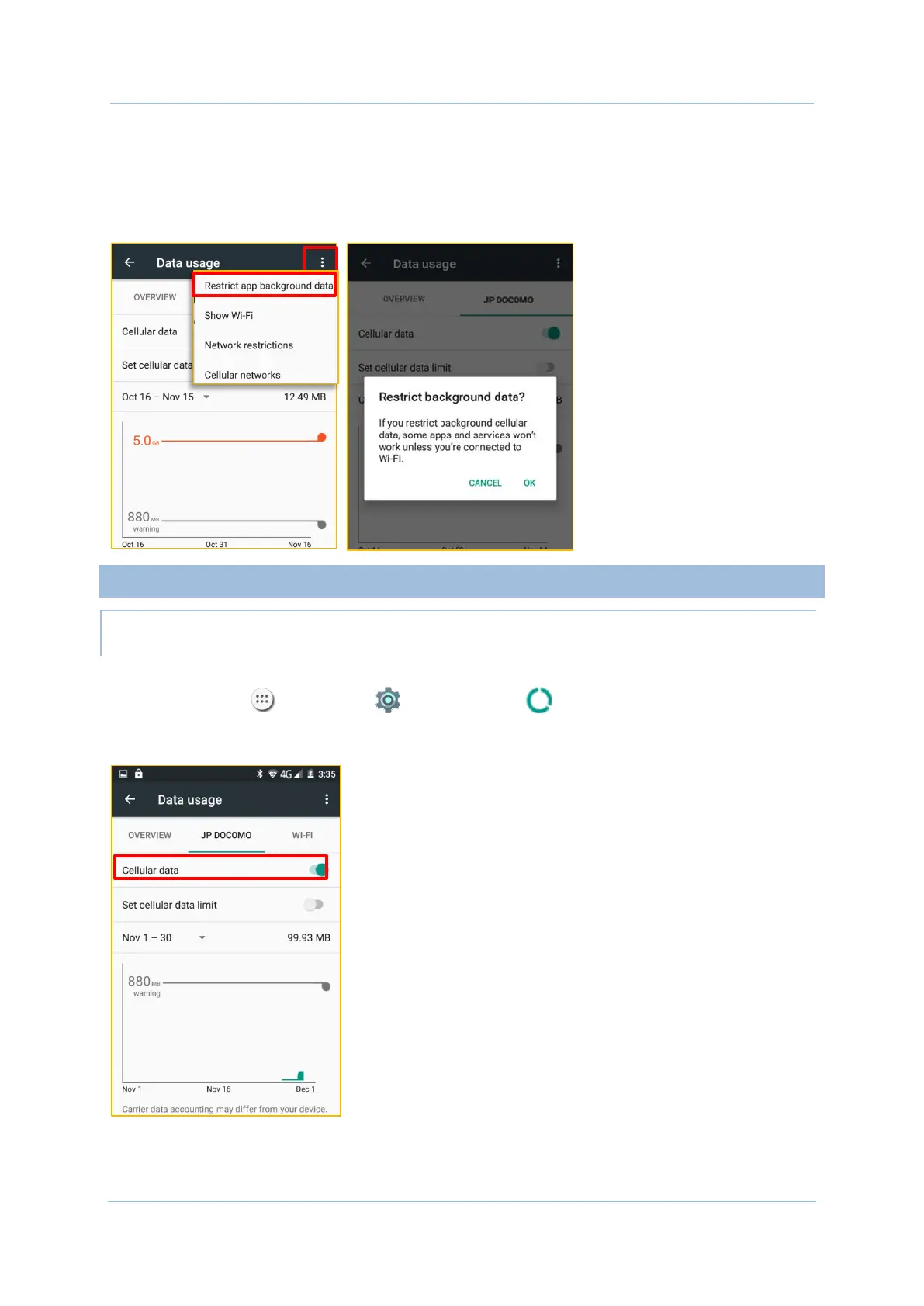
2) A dialog box appears confirming whether you would like to enable data restriction. Tap
OK to confirm.
The handy terminal conserves data usage by restricting background mobile data. Certain
applications and services will be disabled unless the handy terminal is connected to a Wi-Fi
network.
4.1.2. DATA CONNECTION SETTINGS (4G MODEL ONLY)
TURN ON/OFF DATA CONNECTION
To manually turn on/off mobile data connection:
1) Tap All Apps | Settings | Data usage .
2) Select your data usage tab page for your mobile carrier. To turn on/off data connection,
switch the Cellular data to the corresponding position.



 To Next Page