94
BHT-1600 Handy Terminal User Manual
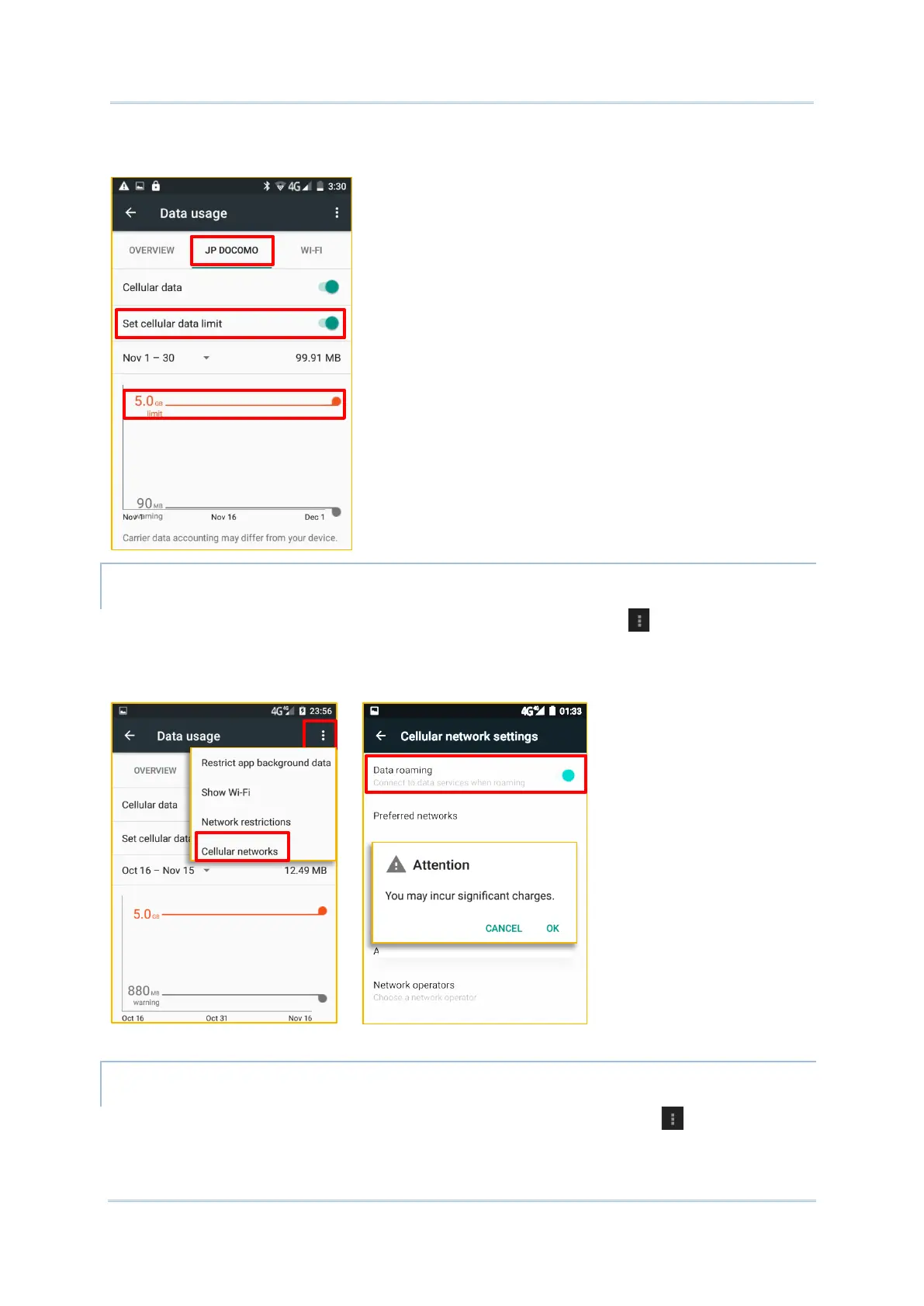
2) To adjust the limit level, tap the limit value on the chart. If a limit is set, when the data
usage amount reaches the limit, mobile data connection will be automatically disabled.
ENABLE DATA USAGE DURING ROAMING (4G MODEL ONLY)
1) On the data usage tab page for your mobile carrier, tap More .
2) Select Cellular network, and enable Data roaming checkbox for your mobile carrier.
A dialog box appears confirming whether you would like to enable data roaming. Tap OK
to confirm.
RESTRICT BACKGROUND DATA (4G MODEL ONLY)
1) On the data usage tab page for your mobile carrier, tap More , and select the
Restrict background data checkbox.



 To Next Page