106
BHT-1600 Handy Terminal User Manual
4.3.3. CHANGE BLUETOOTH NAME
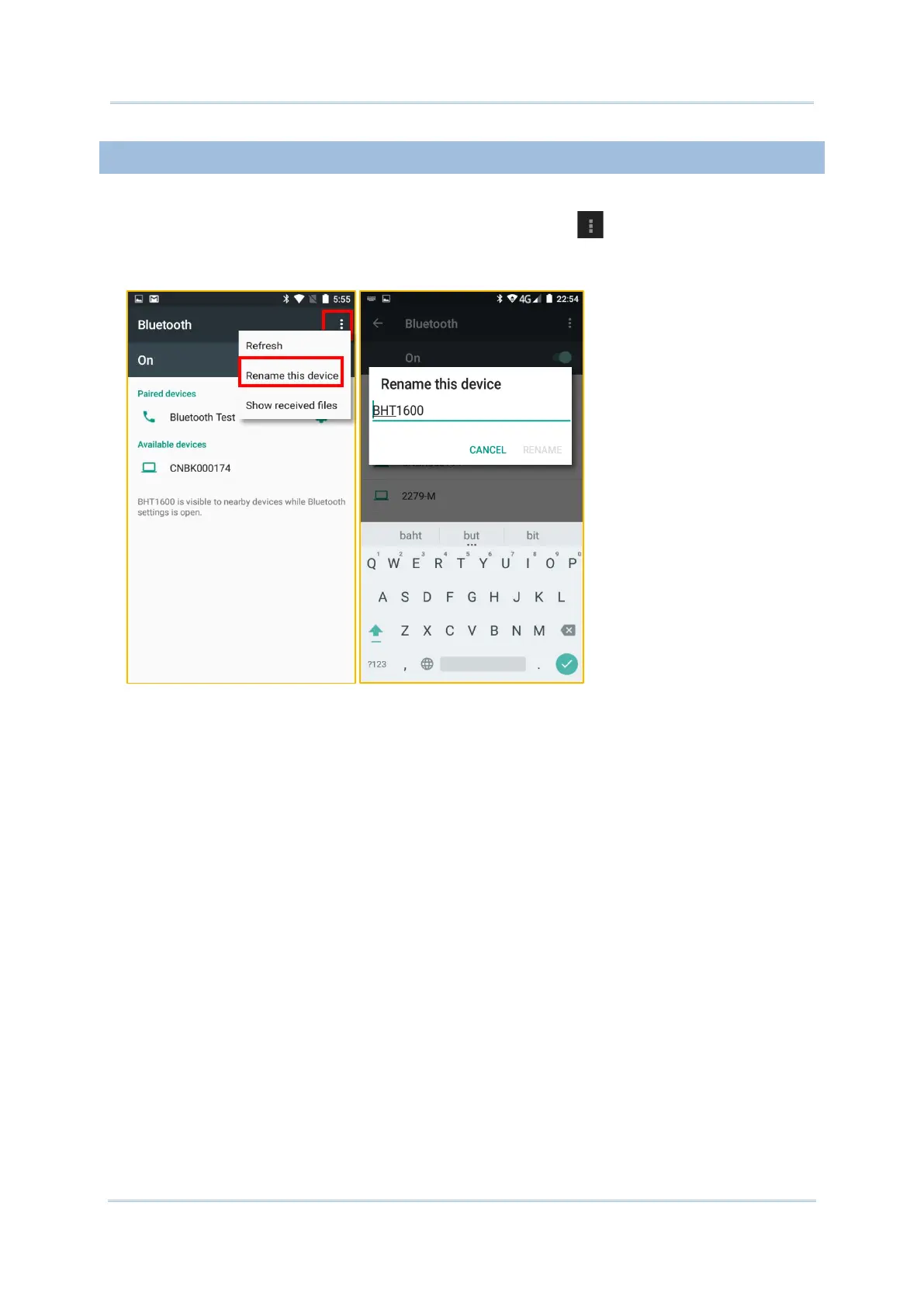
To change the Bluetooth name of this handy terminal:
1) On the available Bluetooth devices screen, tap More and select Rename this
device in the pop-up menu.
2) Type a new name in the field and tap RENAME.



 To Next Page