86
BHT-1600 Handy Terminal User Manual
3.6. RESET TO FACTORY DEFAULT
Performing a factory reset will erase all data on your handy terminal (including call logs,
messages, files as well as your installed apps and their associated data) and revert the
device back to its original state in which it is powered on by you for the first time.
It is strongly recommended that you back up important data before performing a factory
reset.
To start:
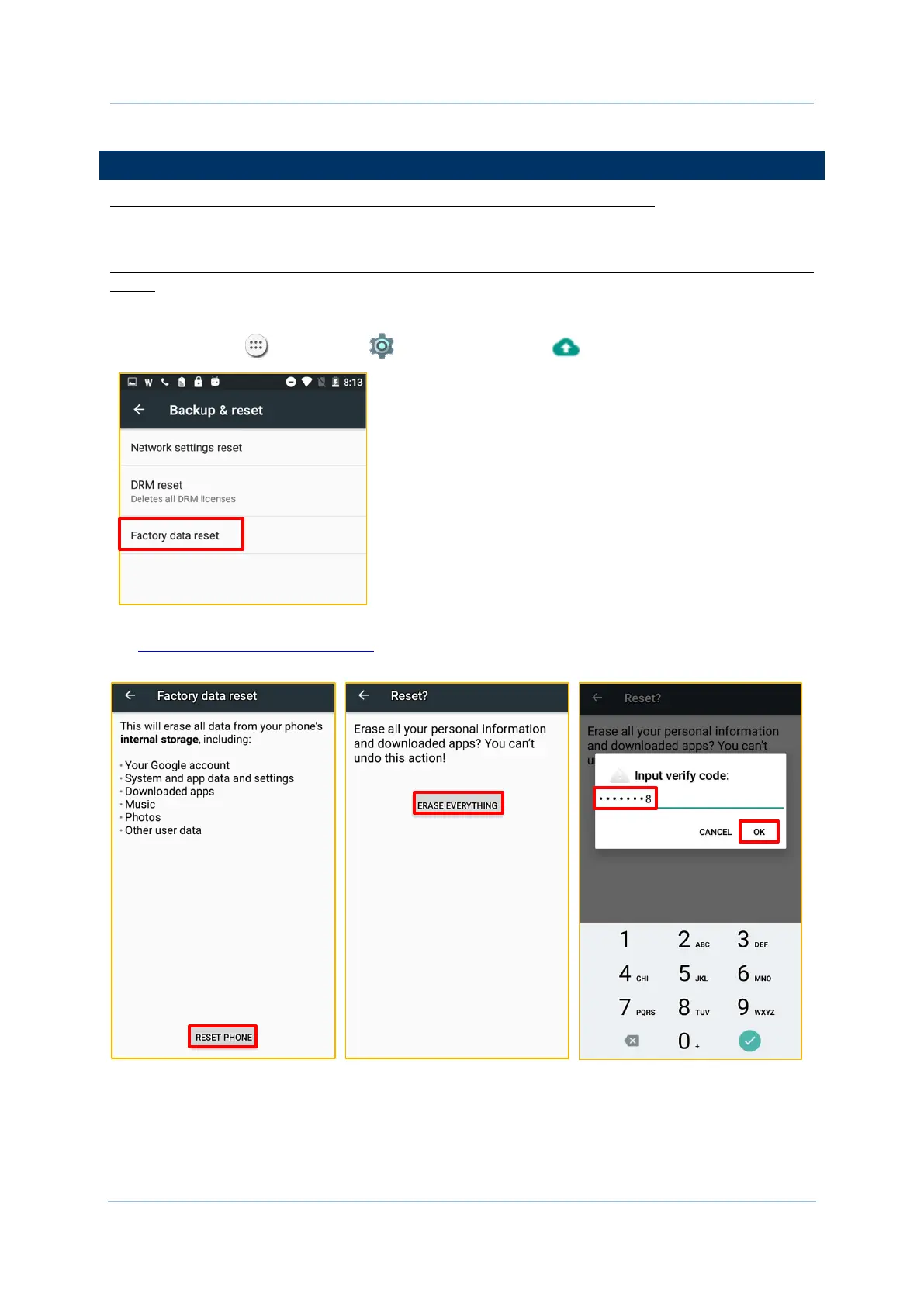
1) Tap All Apps | Settings | Backup & reset and Factory data reset.
2) Confirm the action by tapping on the buttons and input the verification code (please visit
http://www.denso-wave.com/ to obtain your verification code). Finally, tap OK to
perform a factory reset.



 To Next Page