40
BHT-1600 Handy Terminal User Manual
2.3.2. SCREEN ROTATION
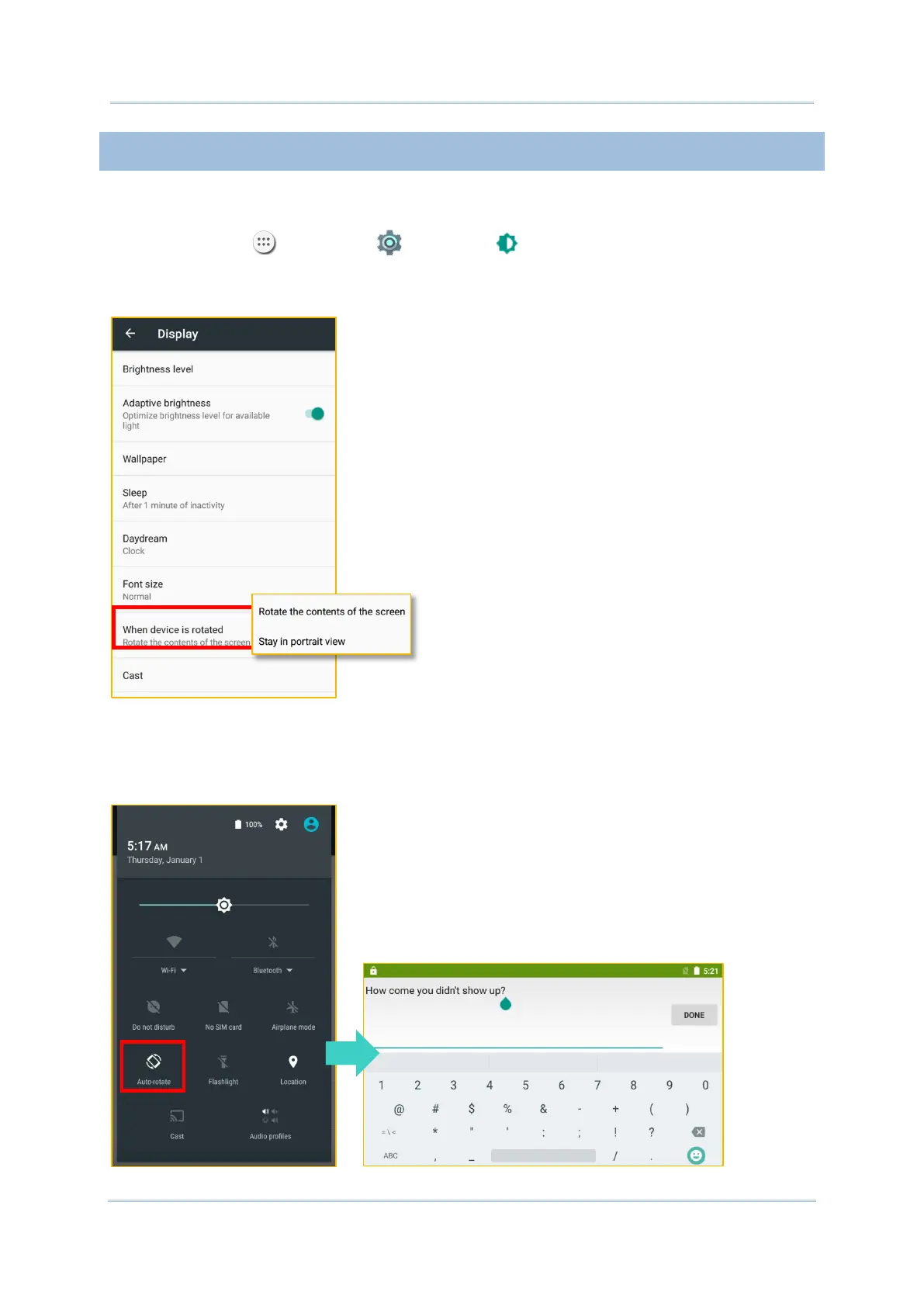
By default, the device automatically rotates the screen to when you turn the device
sideways. To switch this function on or off:
1) Tap All Apps | Settings | Display .
2) Tap When device is rotated and then select Stay in portrait view to turn the rotation
function off or tap “Rotate the contents of the screen” to enable it.
OR
Use two fingers to swipe down from the top of the screen to open Quick Settings and tap
the Auto rotate status icon. This quick setting method allows you to temporarily enter
landscape mode to enhance your typing experience by using a wide keyboard.



 To Next Page