8
BHT-1600 Handy Terminal User Manual
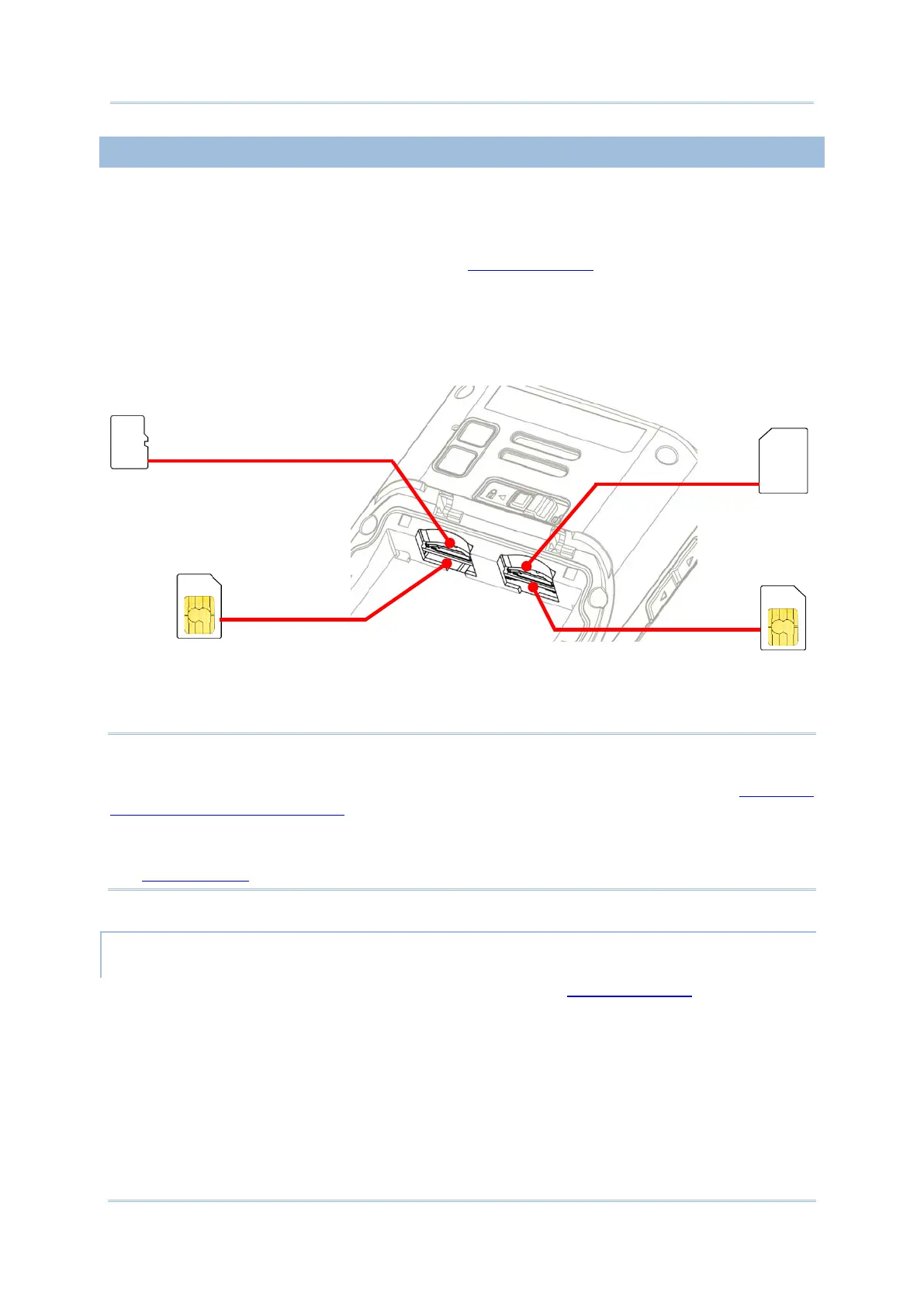
1.1.2. INSTALLING SIM CARD, SAM CARD AND MEMORY CARD
The BHT-1600 handy terminal is equipped with two SIM card slots, one SAM card slot and
one memory card slot.
To insert the cards:
1) Remove the battery cover as described in Remove Battery.
2) Insert the cards into their respective slots according to the directions indicated. Push the
cards to lock them in. Please note that when you insert the cards into their slots, the
metal contact sides of SD card and SIM1 card should be facing downwards, while those
of SIM2 card and SAM card should be facing upwards.
3) Replace the battery cover and push the battery lock back to the “Lock” position.
Note:
(1) Both SIM1 and SIM2 card slots support 2G/3G/4G cards. However, you can have 3G/4G
data transmission on either SIM but not on both at the same time. Refer to SIM Card
Management (4G Model Only) for details on managing dual SIM cards.
(2) SIM card or SAM card relevant functions are only supported on 4G model. For more
details on specification-wise differences between 4G model and Wi-Fi Only model, please
see Specifications.
REMOVE CARDS
1) Remove the battery cover as described in steps 1-3 of Remove Battery.
2) Push the SIM cards and the SAM card to eject them from their slots; take out the SD
directly from its slot.
3) Replace the battery cover and push the battery lock back to the “Lock” position.
Supports2G/3G/4G
Card
Supports SD/SDHC/SDXC
Supports 2G/3G/4G
Card
▲
SIM1
▲
SD
▲
SIM2
▲
SAM



 To Next Page