97
BHT-1600 Handy Terminal User Manual
4.1.3. SIM CARD SETTINGS (4G MODEL ONLY)
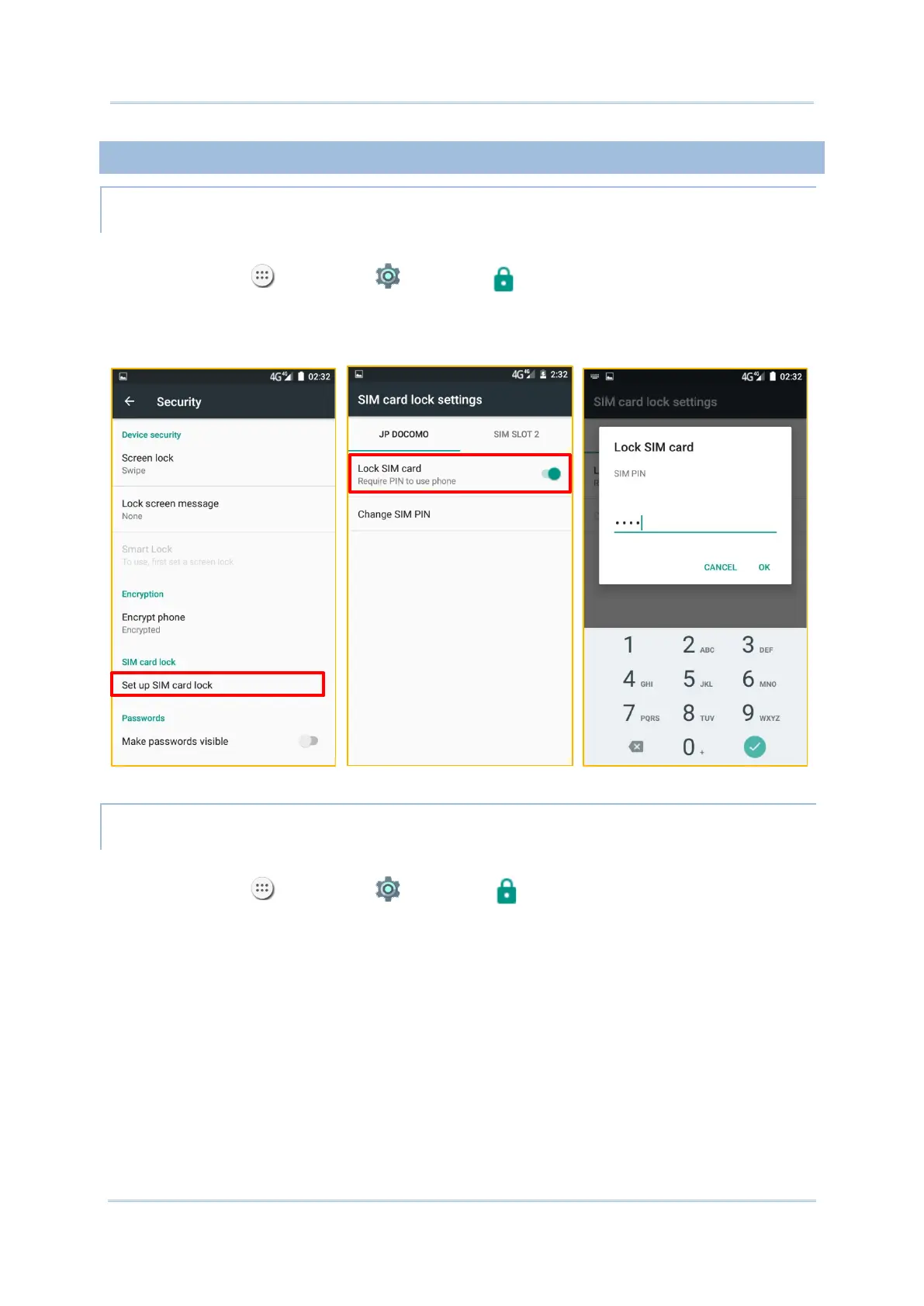
LOCK SIM CARD
To lock the SIM card:
1) Tap All Apps | Settings | Security , tap Set up SIM card lock.
2) Enable Tap Lock SIM card.
3) Enter the PIN to enable SIM card lock. Once enabled, you are required to enter the PIN
code in order to use the phone.
CHANGE PIN CODE
To change the PIN code:
1) Tap All Apps | Settings | Security , tap Set up SIM card lock.
2) Tap Change SIM PIN.
3) Enter your old PIN code to confirm your identity, and then input a new PIN code.



 To Next Page