99
BHT-1600 Handy Terminal User Manual
4.2. USE WIRELESS LOCAL AREA NETWORK
4.2.1. CONNECT TO WI-FI NETWORK
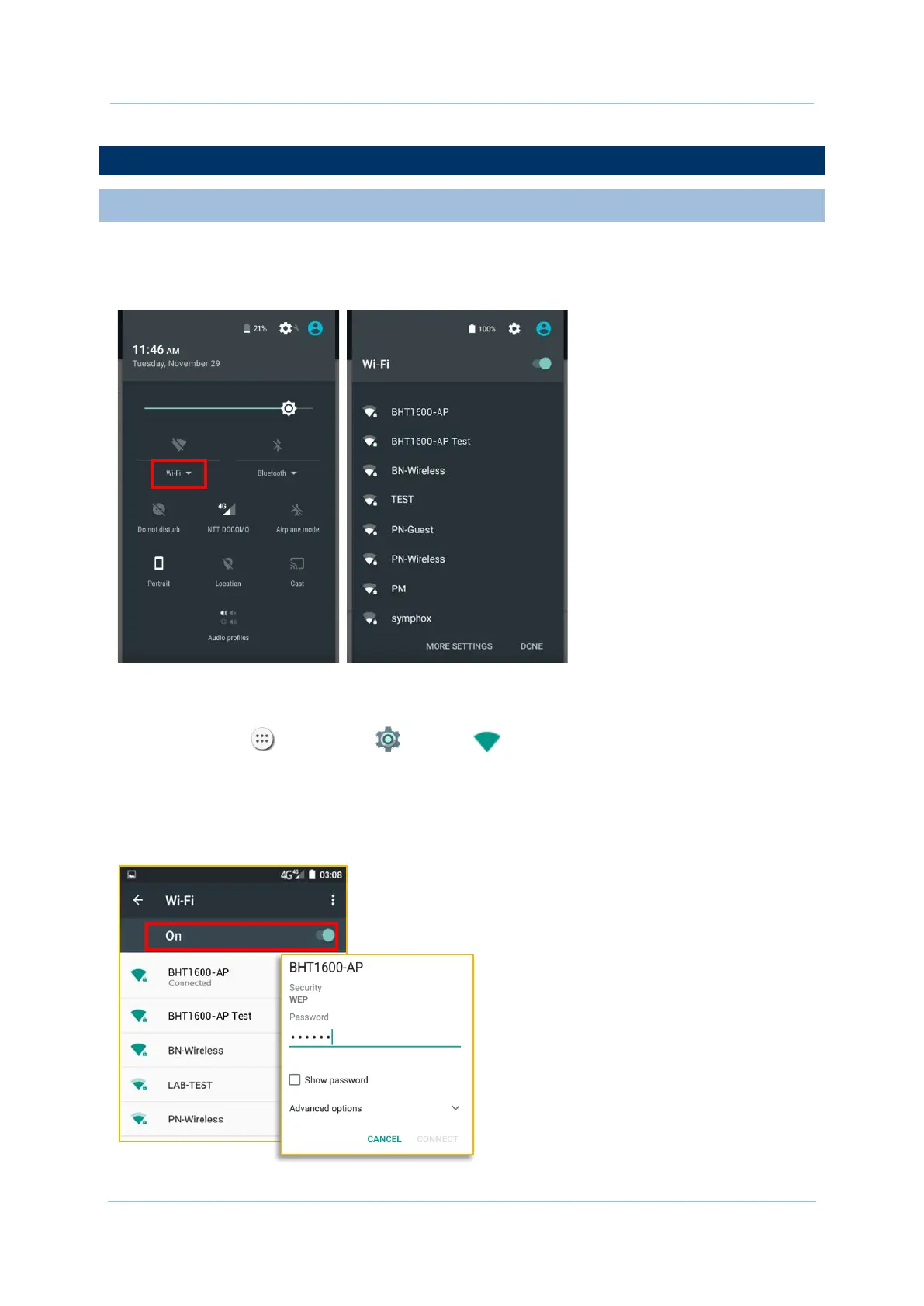
To power on Wi-Fi:
1) Use two fingers to swipe down from the top of the screen to open Quick Settings.
2) Tap Wi-Fi
to scan for available networks. Select a network to connect.
OR
1) Tap All Apps | Settings | Wi-Fi .
2) Tap the Wi-Fi switch to scan for available networks. Select a network to connect. If the
network is an open one, the handy terminal will attempt to connect to it directly. When
connected, the status will change to show “Connected”. If the network is a secured one,
the handy terminal prompts a dialog to enter the password for the connection.



 To Next Page