67
BHT-1600 Handy Terminal User Manual
3.1.1. CUSTOMIZE HOME SCREEN
ADD APPLICATION SHORTCUT TO HOME SCREEN
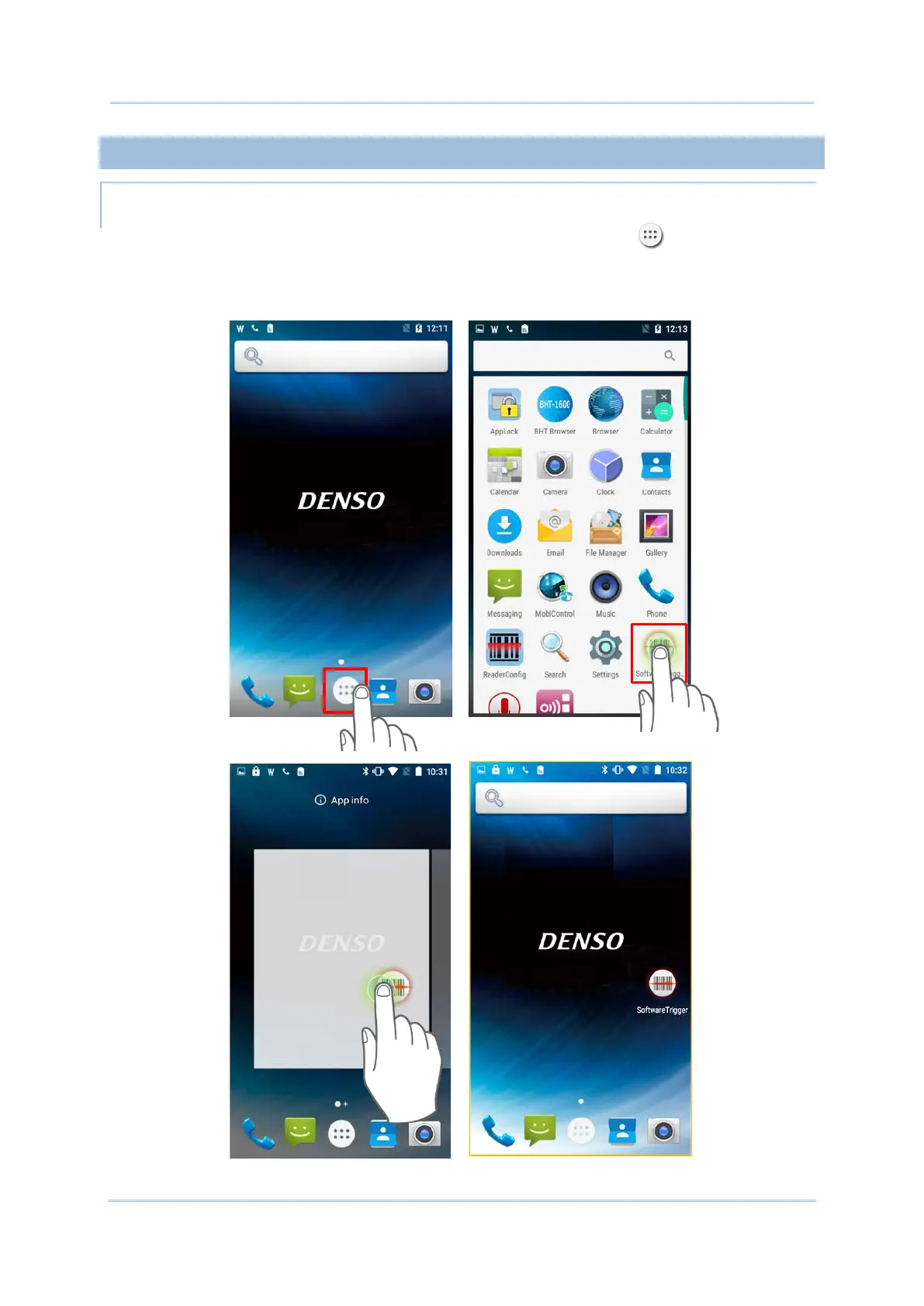
1) On the home screen you would like to customize, tap All Apps .
2) Locate the application to add, tap on and hold the application icon.
3) The home screen will appear. Drag the application icon to your preferred position and
release to have it placed.



 To Next Page