105
BHT-1600 Handy Terminal User Manual
4.3.2. TURN ON BLUETOOTH
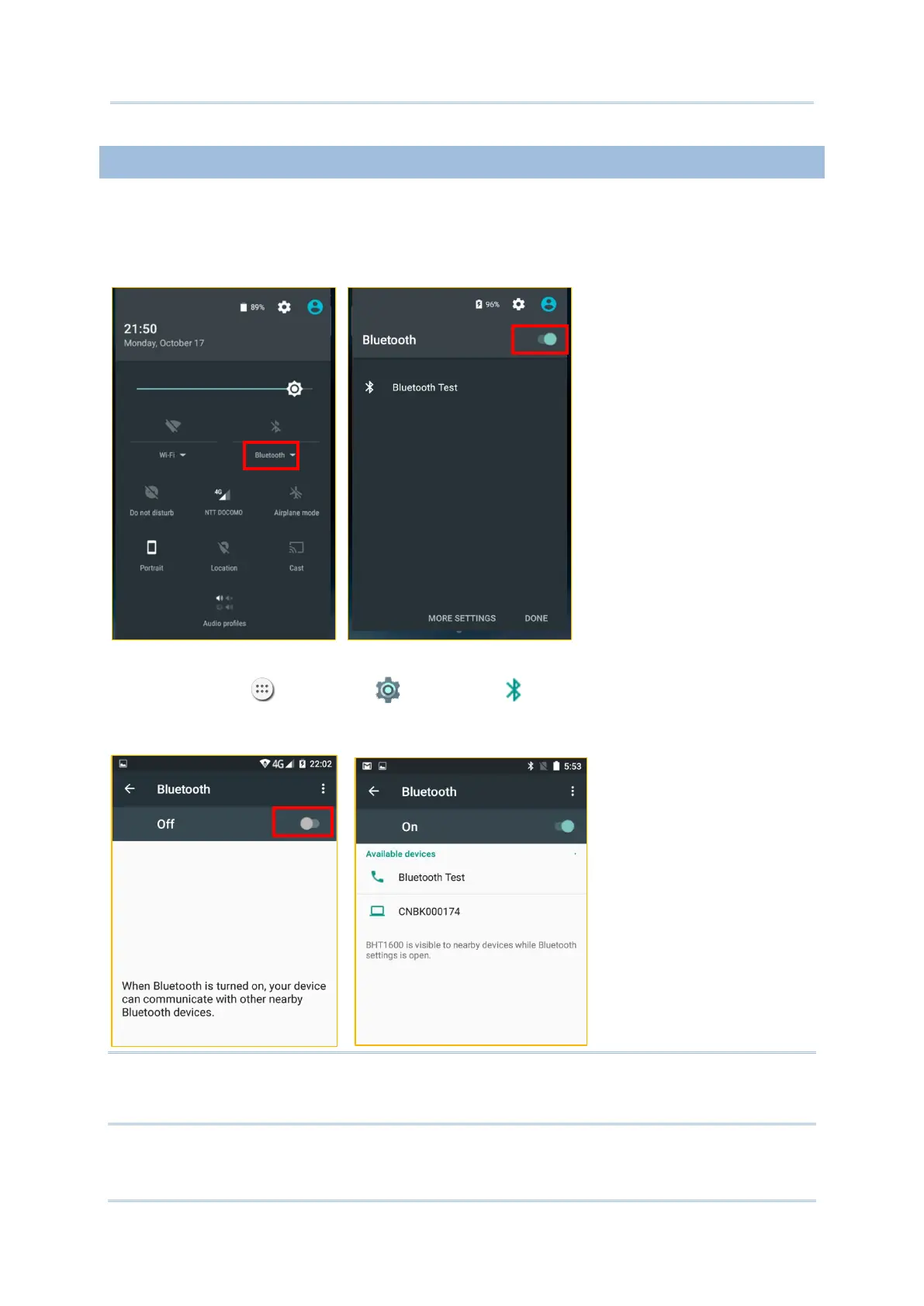
By default, Bluetooth is turned off, to turn it on:
1) Use two fingers to swipe down from the top of the screen to open Quick Settings.
2) Tap Bluetooth
to turn on this function while enabling the Bluetooth visibility of this
device.
OR
1) Tap All Apps | Settings | Bluetooth .
2) Tap the switch to turn on this function while enabling the Bluetooth visibility of this
device.
Note: After turned on, Bluetooth power is maintained even when the handy terminal is
suspended. However, if the power mode is switched to Airplane Mode, Bluetooth power will
be turned off regardless of the settings.



 To Next Page