90
BHT-1600 Handy Terminal User Manual
4.1.1. SHARE WWAN DATA
The WWAN connection on the handy terminal can be shared to other devices. You may
share internet connection with a computer or device through USB or Bluetooth tethering, or
share with a maximum of eight devices by turning the handy terminal into a Wi-Fi hotspot.
BLUETOOTH TETHERING
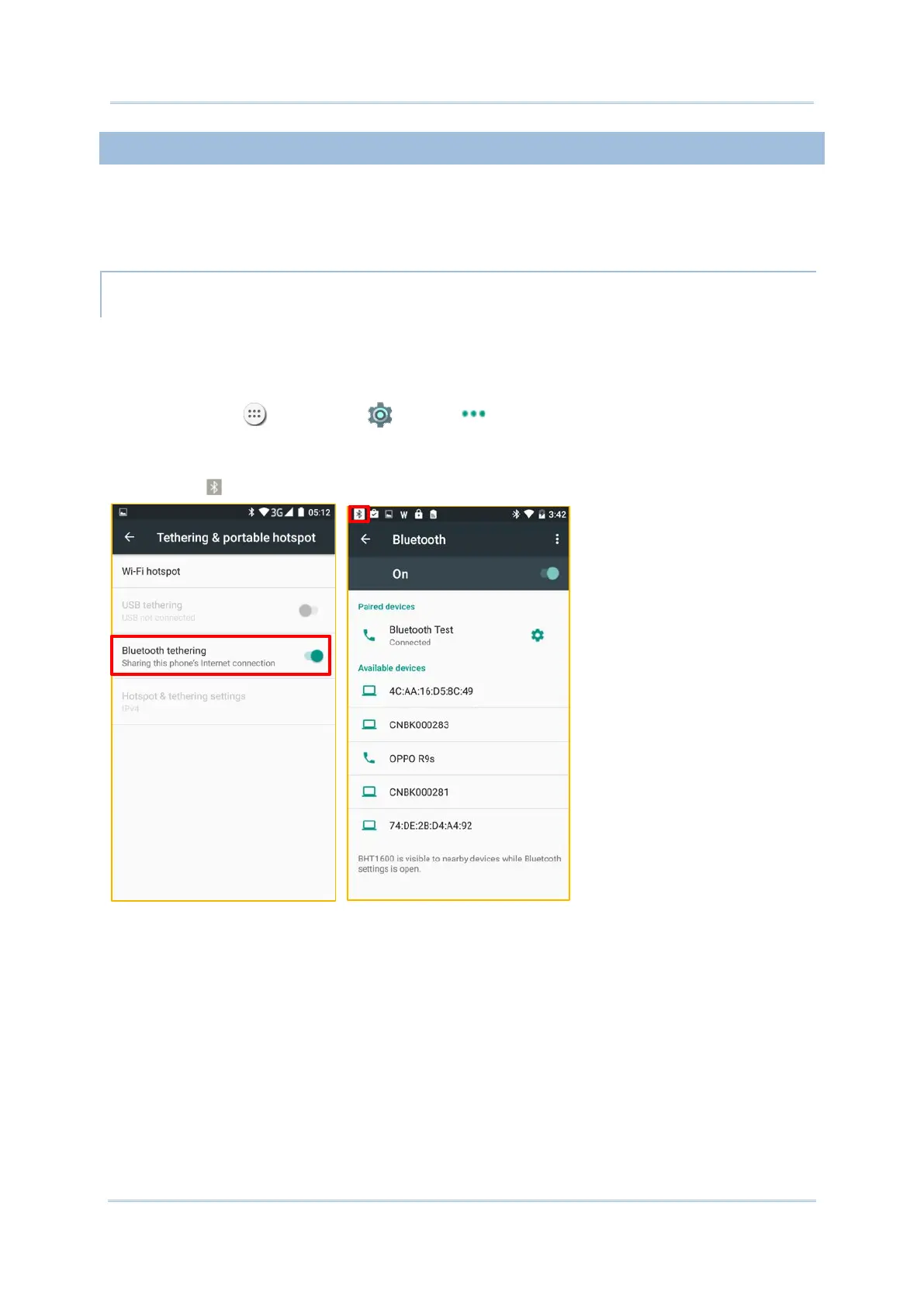
To share data connection through Bluetooth tethering:
1) Make sure your handy terminal has Internet access.
2) Pair the handy terminal with the device of interest.
3) Tap All Apps | Settings | More | Tethering & portable hotspot.
4) Tap Bluetooth tethering. The handy terminal will share its WWAN network with
Bluetooth-connected devices through Bluetooth sharing. Once the sharing is successful,
the icon will appear on the top left of the screen.



 To Next Page