7
BHT-1600 Handy Terminal User Manual
Warning
1) Make sure the battery lock is at the “Lock” position before powering on the device.
2) For initial use, insert a charged battery, lock the battery cover in place, then press the
Power key to power on the handy terminal.
REMOVE BATTERY
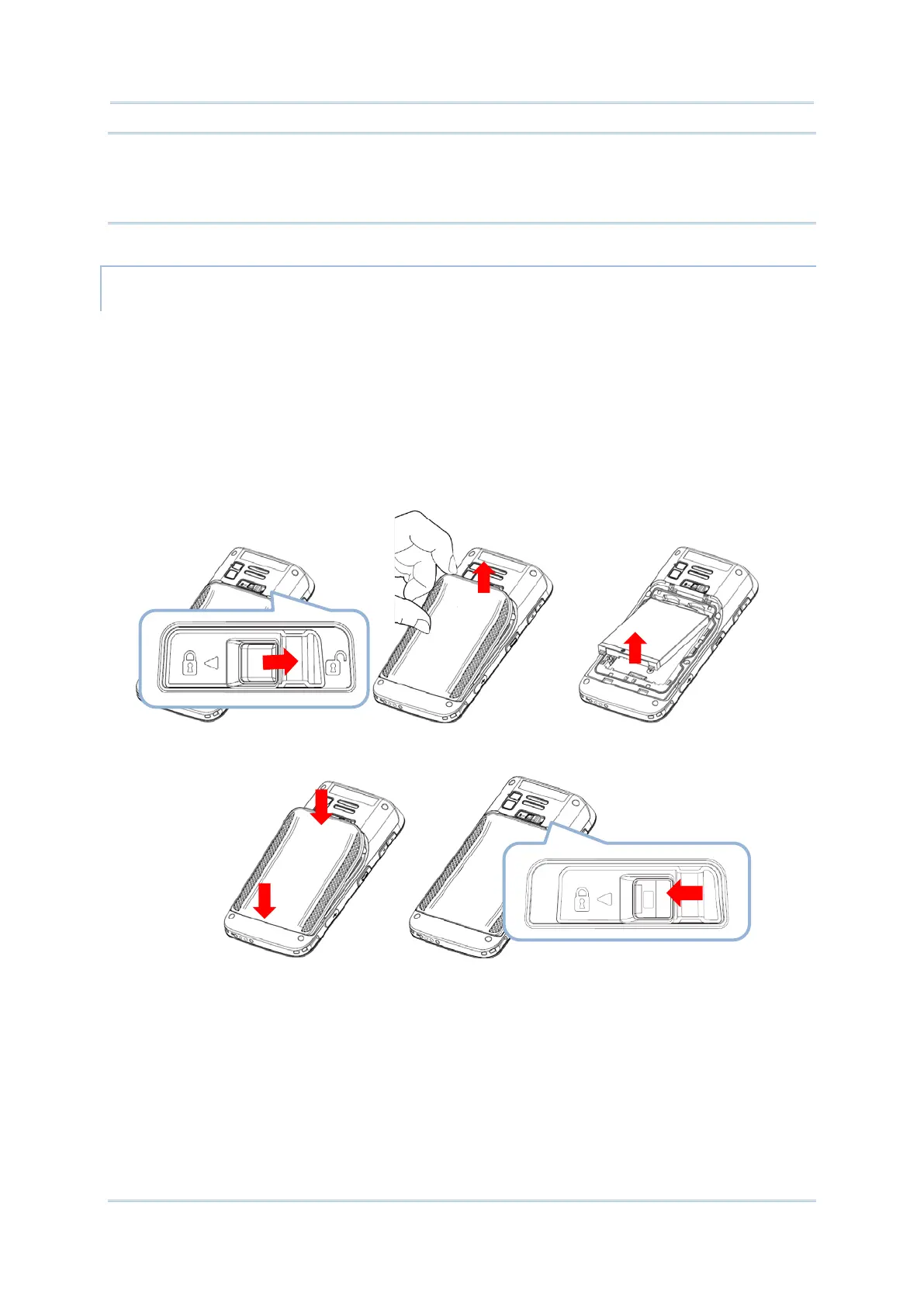
1) Press down the lock button and slide it right to the “Unlock” position.
2) Insert your fingernail into the groove between the case and the top of the cover, with a
little force, lift the battery cover up and away from the device.
3) Lift the battery up from its lower end.
4) Replace the battery cover and slide the battery lock to the left to the “Lock” position.



 To Next Page