23
BHT-1600 Handy Terminal User Manual
BATTERY SAVER MODE
You can have the Battery saver mode automatically turned on when the main battery gets
low. This mode will limit the use of location services, vibration and most background
processing data.
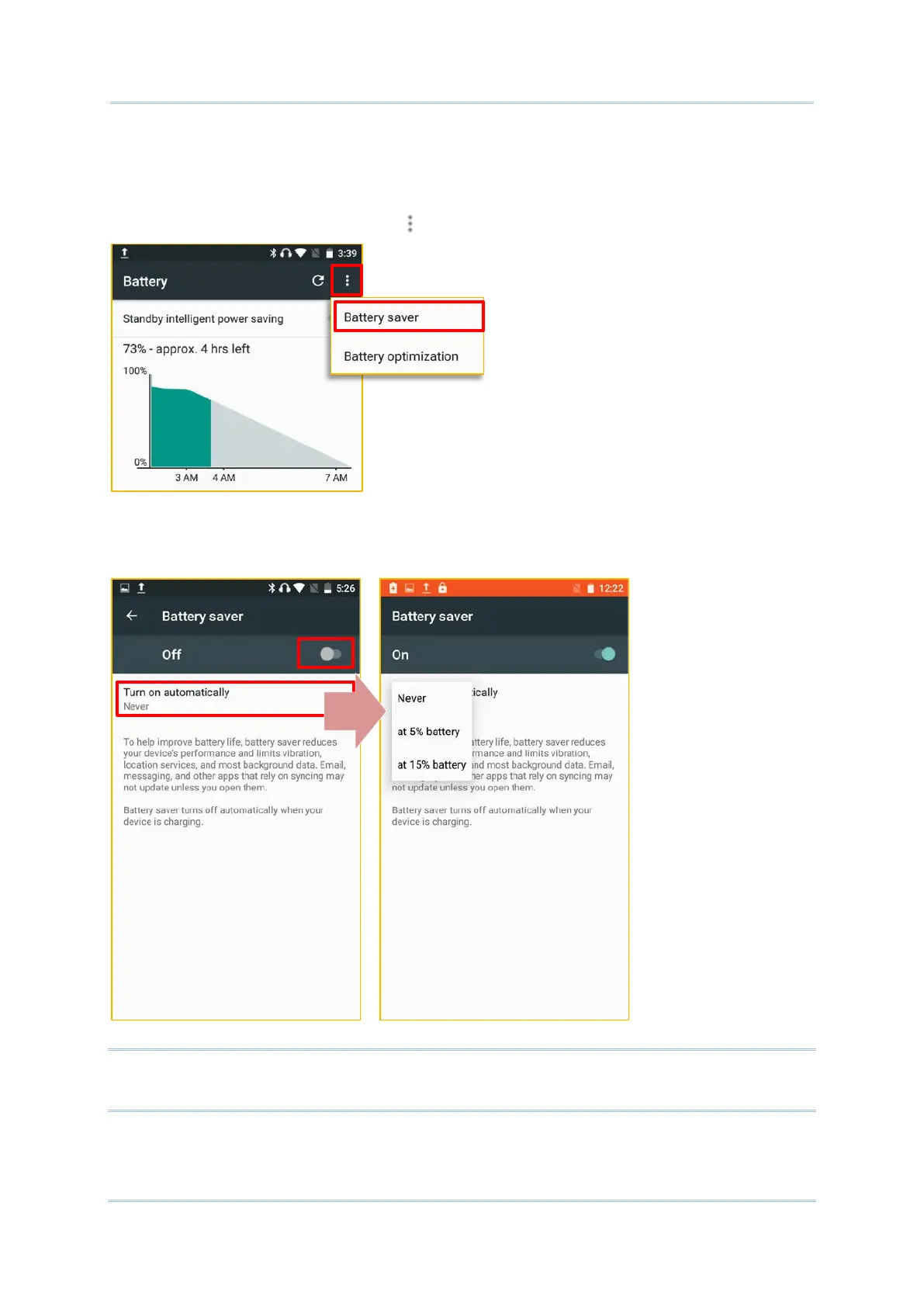
1) On Battery screen, tap on More and then select “Battery saver”.
2) Switch on the function and choose when to have this mode automatically activated.
After enabling this function, the title bar of your screen will turn orange.
Note:
This mode will automatically become inactive when your device is being charged.



 To Next Page