37
BHT-1600 Handy Terminal User Manual
CONVERT THE SD CARD TO PORTABLE STORAGE
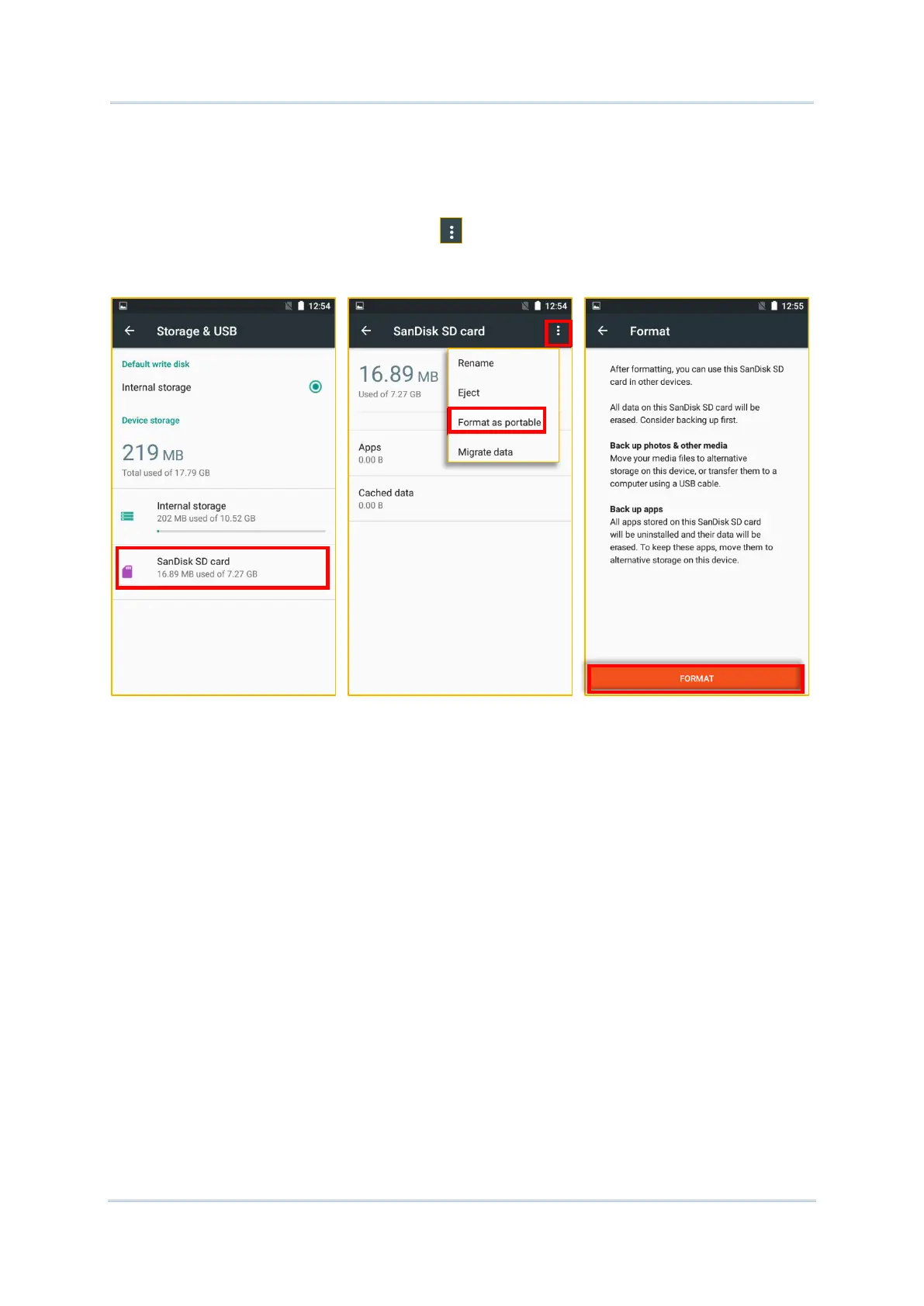
1) You can always convert the SD Card from internal storage to portable storage. On
Storage & USB screen, tap the SD card. Before you start, make a backup of the files on
this disk if you would like to keep them.
2) On SD card content screen, tap More and then tap “Format as portable”.
3) Tap “Format” to have this SD card re-formatted into a file type inaccessible by other
devices.
4) On Move data now screen, tap “MOVE” to migrate data from the device’s storage to
SD card and have the SD card become the primary storage location.
5) When the formatting is completed, tap “DONE”.



 To Next Page