9
Connecting
the base
station
Installing/Re-
moving the
batteries
Commissio-
ning sequence
The connection ports are on the underside of the base sta-
tion.
Use the enclosed cable to connect the telephone jack with
the telephone terminal connection of your network operator.
Insert the AC adapter plug cable into the adjacent port. Ins-
ert the AC adaptor plug into the 230V mains socket. With
the model "BeeTel with a small base," the LED on the base
station indicates the power supply.
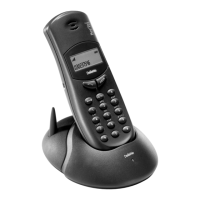
The batteries are installed in the rear of the handset. Open
the cover and insert the batteries according to the polarity
specified.
First-time use
• Familiarise yourself with the operating elements (page 13).
• Install the telephone as described in the chapter entitled
"Installation" (page 8).
• Charge the batteries for approximately 10 - 14 hours by
inserting the handset into the separate charging unit
(accessory).
Your system is now ready to operate. You can make and
receive calls.
We recommend that you now make further settings:
• Change your PIN to prevent unauthorised changes to
your settings.
• Configure the telephone as you wish or as the technical
specifications make necessary (dialling method/signal key
function/authorisation, etc.).
• Store frequently required telephone numbers in the
speed-dial memory.
• Adjust the ringer volume and melody to your taste.
• If you wish to use additional handsets on this base stati-
on, prepare the enrolment of the additional handsets by
disconnecting the 230V power supply for at least 5
seconds and then reconnecting it (by pulling out and rein-
serting the AC adaptor plug). Enrol the handsets with the
base station within two minutes (page 26).


 To Next Page