28
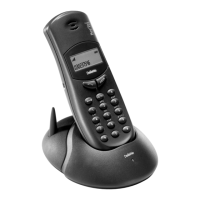
You can operate up to 5 handsets from one base station.
Thanks to the GAP Standard, handsets from other vendors
may also be used, providing these comply with the GAP
Standard. Please refer to the operating instructions of both
vendors should you use different makes of handset.
When enrolling (see page 26) at the base station, each hand-
set is assigned an internal number. This is the next "free"
number within the base station, respectively.
You can change these internal numbers, insofar as num-
bers are still freely available.
In order to withdraw the enrolment for a specific handset,
its internal telephone number must be deleted from the
base station.
Enter the following key sequence:P (w)R0.
Press 4.
Those numbers that can be assigned
are now displayed on the handset
display.
Enter the desired number. The connection is terminated
and the handset is available under the new internal number
with immediate effect.
Enter the following key sequence:P (w)R0.
Press 5.
All numbers that have been assigned
are displayed on the handset display.
Enter the number you wish to delete.
Press o.
Enter PIN.
Press o.
If several handsets are operated on a base station, they can
be called either selectively or collectively.
Press o and enter the internal number (single call, inter-
nal call possible)
or
Press o and * (collective call, internal call possible with
first handset to be activated).
A BCD E FGHI
π⁄~
ABC D E FGHI
∂™¬(– “ § – %
ABC D E FGHI
!~†(– “ § – %
Several hand-
sets at one
base station
Programming an
internal call
number
Deleting an
internal call
number
Single Call /
Collective Call


 To Next Page