13
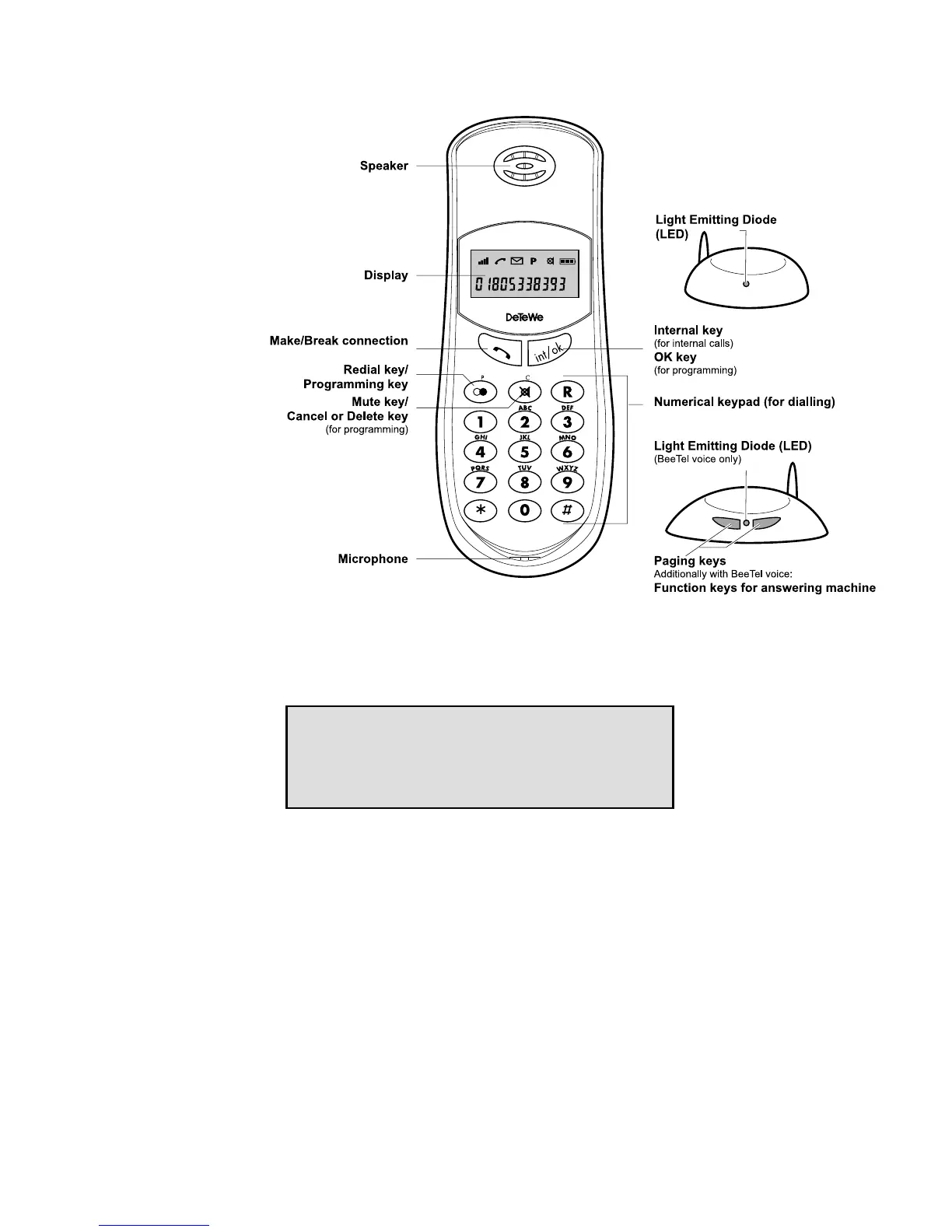
Displays, keys and audio signals
The display shows you information on the current connection
status or the respective programming status, partly in the form
of symbols and partly in the form of numbers and letters.
The symbols have the following meanings:
A Signal strength display in increments of 0, 25, 50, 75
and 100%
B Connection status, incoming call (flashes)
C Call in absence (Caller List)
D Programming mode / Speed-dialling
E Microphone off (Mute)
FGHI Battery charging status (for details, see page 10
"Charging the batteries)
-2- Number of the base station within range if the hand-
set is enrolled at more than one base station
1NT1 Internal call number of the handset.
Furthermore, call numbers or programming informa-
tion are displayed in the second line.
Display
Symbol line
7-Segment line
ABCDEFGHI
-2- 1NT1


 To Next Page