30
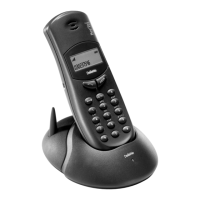
The LEDs on the base station and the display on the hand-
set serve as control displays.
The base station LED indicates the following states:
Off - Answering machine is off
Steady - Answering machine is on with
announcement text 1
Long on / short off - Answ. mach. is on with announc. text 2
Flashes uniformly - Recording announcement
Flashes quickly - 10 seconds remaining to record
announcement text
Flashes rapidly - Answering machine is on, new
message(s) available
Long on /
2 x short flash - Answering machine is on, old
message(s) available
Long off / Short on - Answering machine is off, message(s)
available (either new or old)
The handset display texts have the following meanings:
å∂ (answering device) - Answering machine
ø¬∂ (old) - Old message(s)
~™ (new ) - New message(s)
∂⁄‚† (distance) - Remote control
∂⁄‚† ®™
(distance request)
- Remote request
ª⁄ (high) - 16 minutes
¬ø (low) - 8 minutes
å∂ ®™ç (Answering - Recording
device record)
¬ø¨∂‚π - Speaker
¬ø¨∂~™‚‚ - Volume
You can define a "Master Handset" per base station. This
gives you the option when operating the answering machi-
ne with the base station keys of tracing the message playb-
ack and information on old and new messages on the dis-
play of this handset.
Enter the following key sequence:o#.
Press 4.
All enrolled handsets
are displayed
Enter the number of the desired handset.
Press o.
Press g.
ABC D E FGHI
å∂ !~† ! “ – – –
Control displays
Master
handset
Programming the
master handset


 To Next Page