Dexcom G6
®
System User Guide
118Chapter 8: Home Screen
Receiver
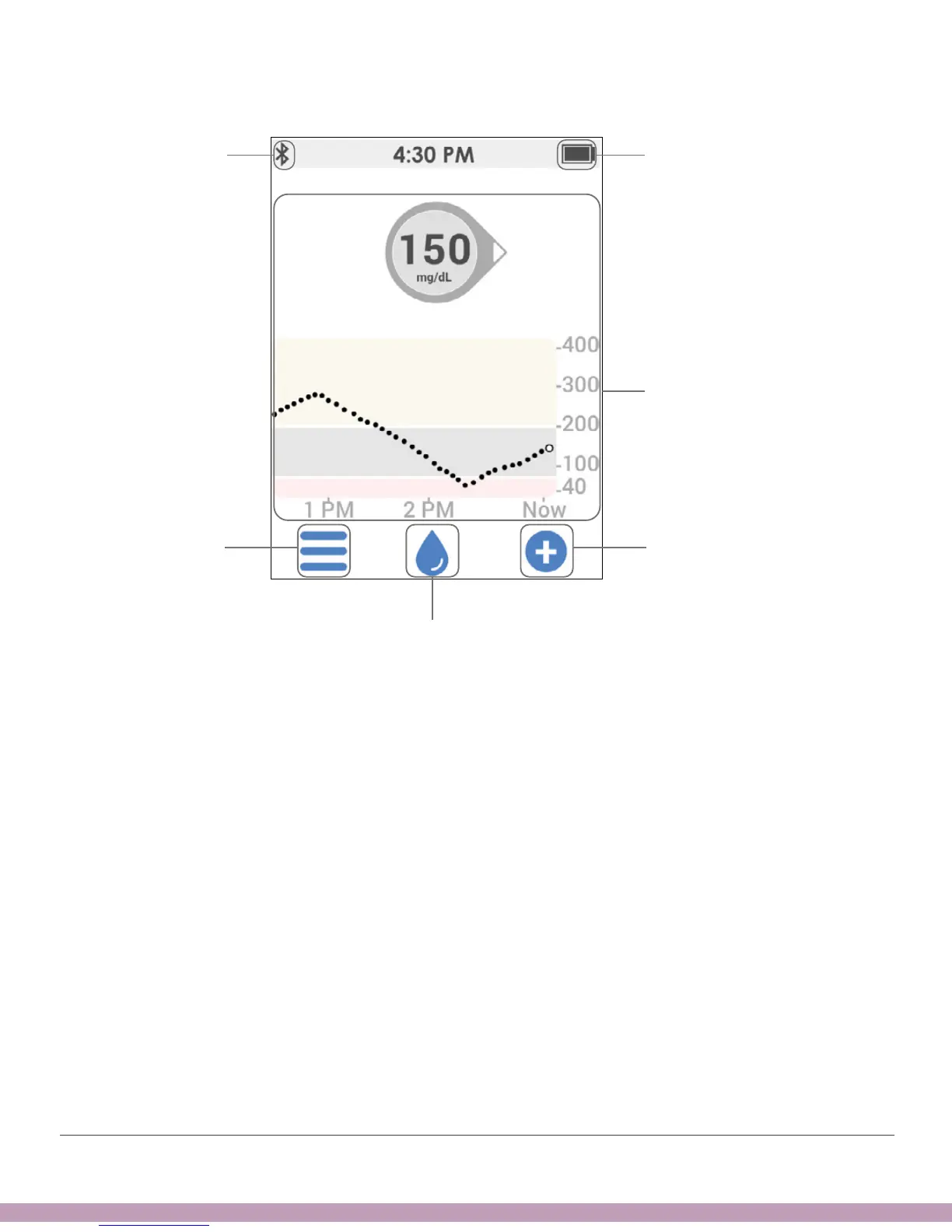
Calibrate icon: The blue drop is the calibrate icon. If you didn’t enter a sensor code,
a red circle shows on the drop when you need to enter a new calibration. To calibrate,
tap on the blue drop and follow the steps.
If you did enter a sensor code, there’s no need to calibrate, so, there isn’t a Calibrate
icon on the home screen.
Events/Add Event: Lets you record insulin, carbs, exercise, or health-related events.
See Chapter 9 for more information.
Settings/Menu: Edit alerts, find help, change settings, customize sounds, and use
Share (app only).
Menu
Add Event
Bluetooth
Glucose Information
Battery Level
Calibrate Icon



 To Next Page