Dexcom G6
®
System User Guide
154Chapter 10: Alarm and Alerts
App: Customizing Alerts
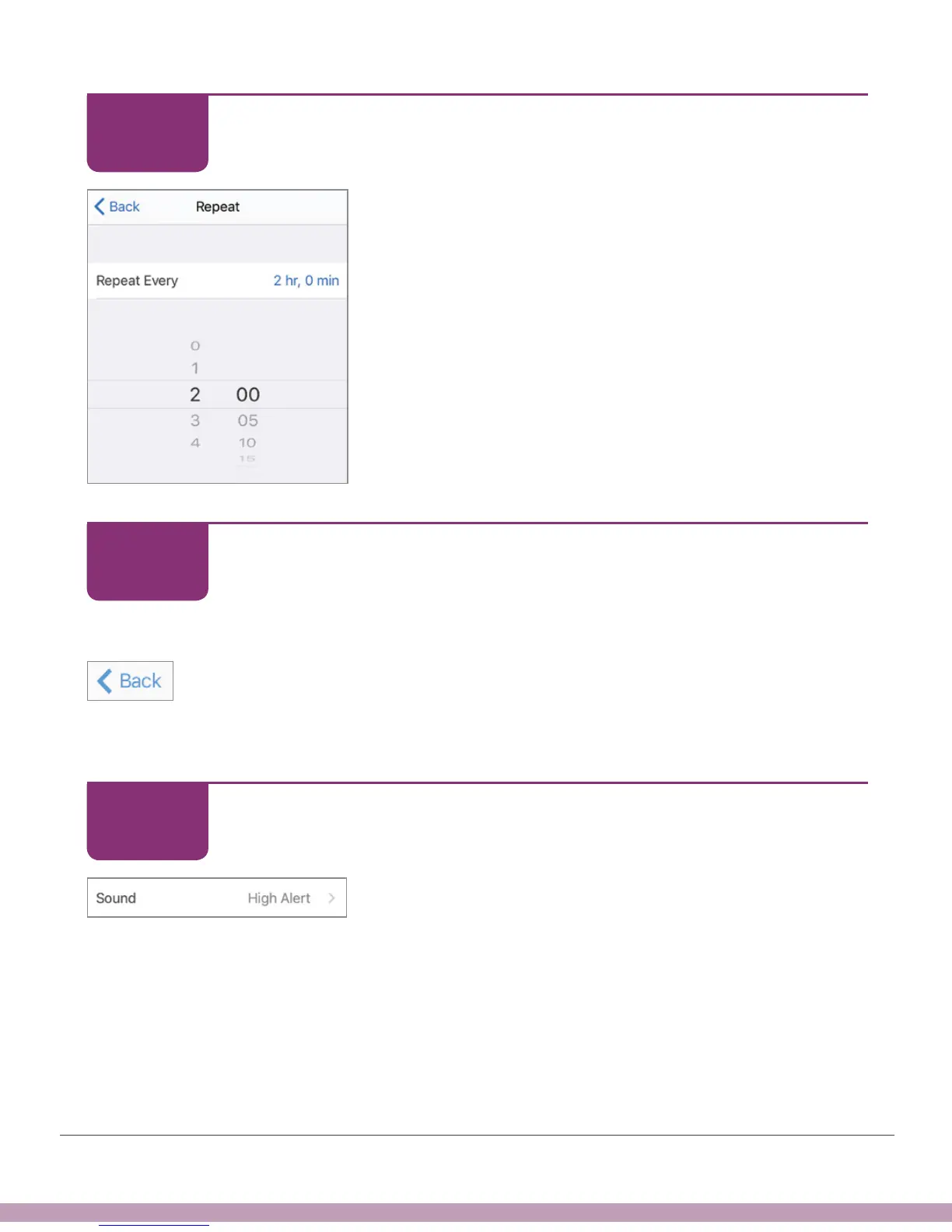
Scroll selection wheel to the High Alert repeat interval
you want – in this example, 2 hours. Repeat range is 15
minutes to 4 hours.
App: Customizing Alerts
Save your new repeat time.
Apple (shown left): Tap Back.
Android: Tap Save.
Repeat shows how often you’ll get notified.
App: Customizing Alerts
Tap Sound to customize alert sound.
STEP
10 of 15
STEP
11 of 15
STEP
12 of 15



 To Next Page