Dexcom G6
®
System User Guide
282Appendix D: Take Care of Your G6
Receiver: Check CGM Settings
Receiver: Check CGM Settings
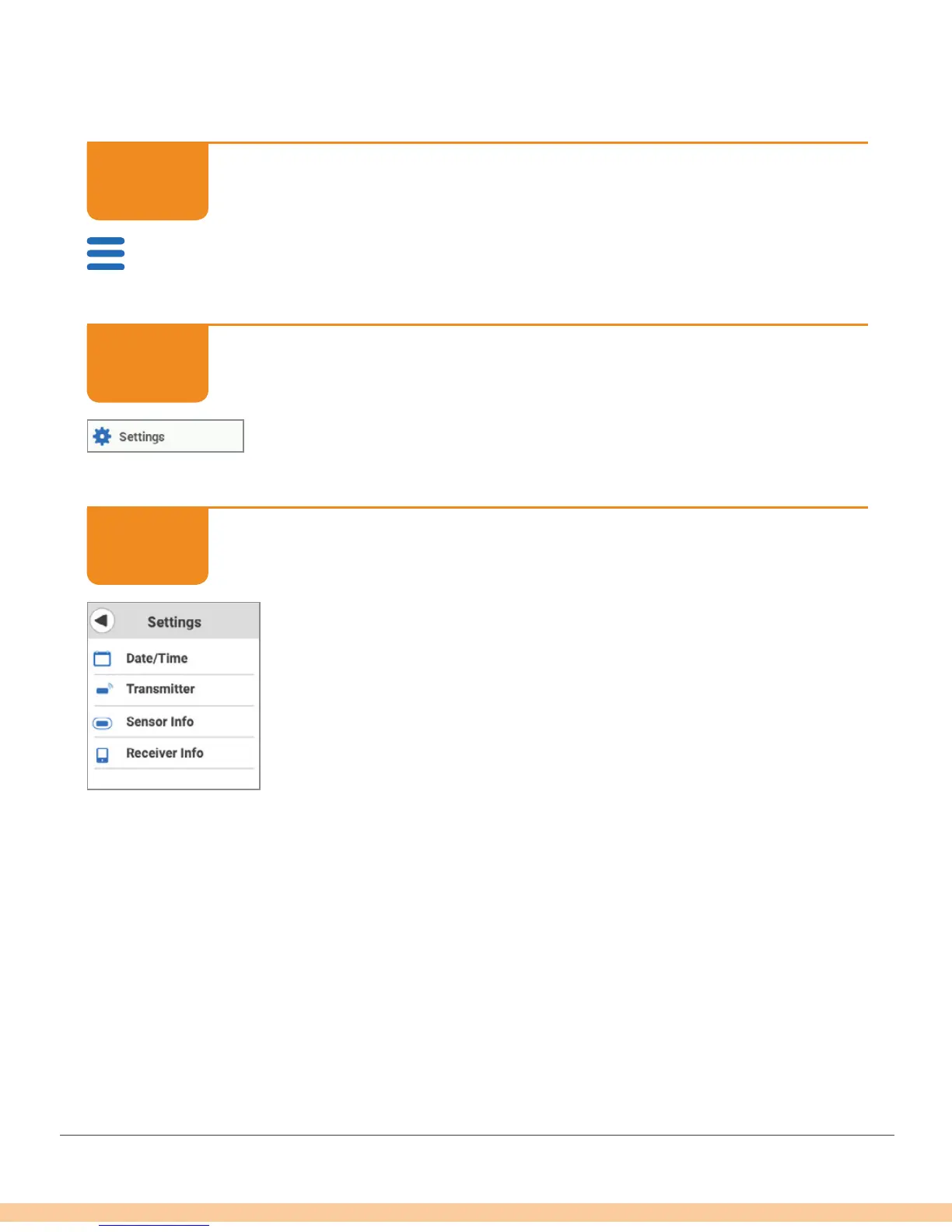
Tap Menu.
Receiver: Check CGM Settings
Tap Settings.
Receiver: Check CGM Settings
You can update and/or check:
• Alerts and sounds: Customize how and when you get alerts
• Transmitter information: Transmitter SN and battery life
• Sensor information: Insertion date and time; last calibration
date, time, and value; when sensor expires
• Receiver information: Receiver SN and battery life
D.4 System Disposal
Different places have different requirements for disposing of electronics (receiver
and transmitter) and parts that have come in contact with blood or other bodily fluids
(sensor). Follow your area’s local waste management requirements.
STEP
1 of 3
STEP
2 of 3
STEP
3 of 3



 To Next Page