Version 1.2.0 - 04.02.2013
19
Cabling
Specifications and design are subject to change without notice. The content of this document is for information only. The information presented in this document does not form part
of any quotation or contract, is believed to be accurate and reliable and may be changed without notice. No liability will be accepted by the publisher for any consequence of its use.
Publication thereof does neither convey nor imply any license under patent rights or other industrial or intellectual property rights.
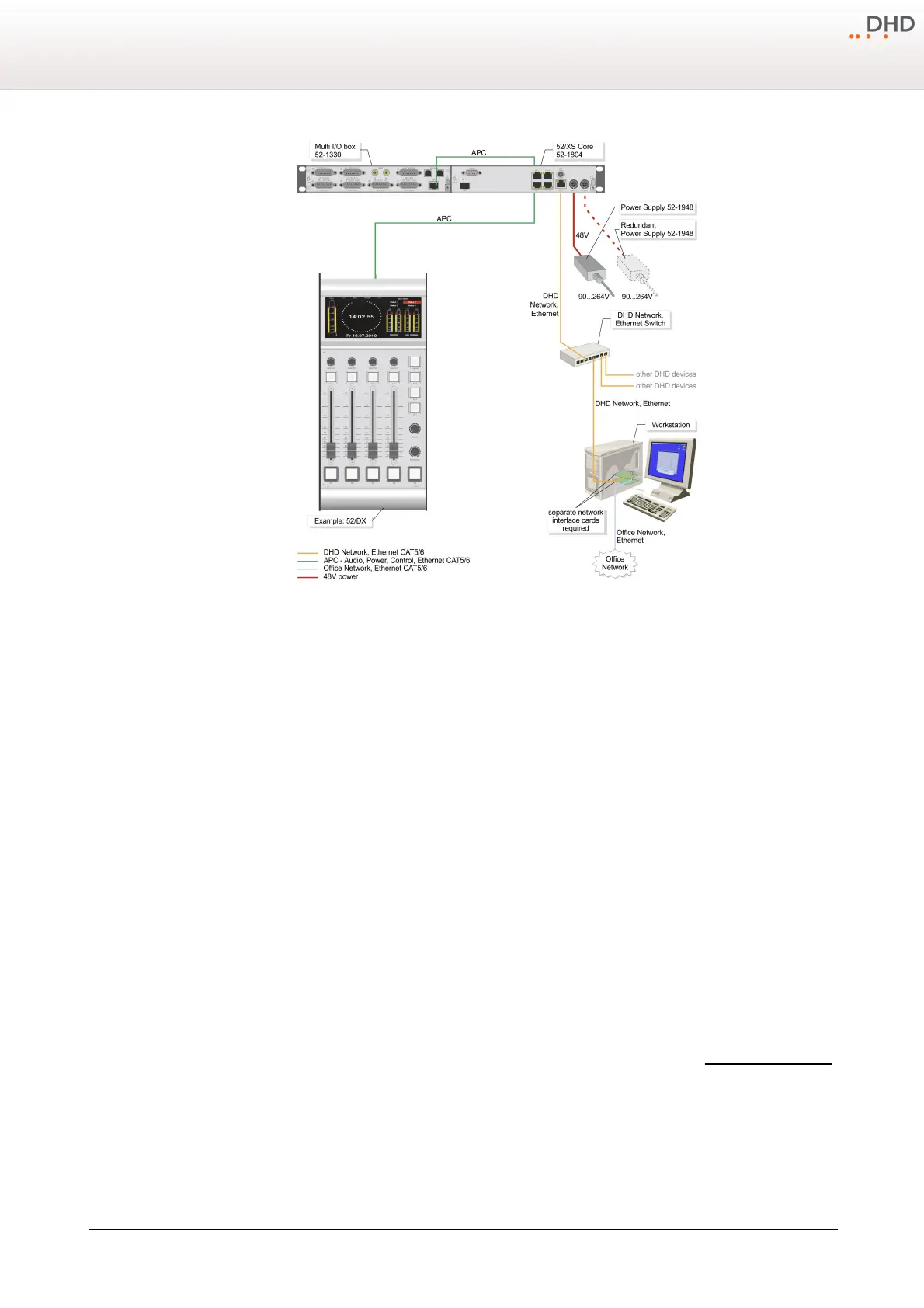
Example of a 52/DX installation.
Connect the
ETH 1
port of the 52/XS Core to the configuration PC or to the DHD Ethernet network, where the PC with
the configuration software is located. To establish the connection to the office network, you should use a server PC with a
second network interface card to avoid slowing down the communication in the DHD network and to block non-authorised
access to the connected DHD systems. Please use shielded CAT5 cables continuous for wiring. But DHD recommends to
use shielded CAT6 cables for longer distances.
Use only switches in the DHD network, which are shipped and/or recommended by DHD for the usage in this network.
Especially the switches must be unmanaged switches working with a speed of 100 Mbit/s.
The following non-PoE switches are tested by DHD and are recommended for the usage in DHD Ethernet networks:
Superstack 3, Baseline Switch
16 Port 10/100
Ref. 3C16470
Superstack 3, Baseline Switch
24 Port 10/100
Ref. 3C16471
AT-FS713FC/SC
12x RJ45
1x SC
http://www.alliedtelesyn.de
AT-FS708
8x RJ45
http://www.alliedtelesyn.de
The control modules and I/O boxes have to be connected to the
APC
ports of the 52/XS Core (see Connecting modules to
the XS Core)



 To Next Page