Version 1.2.0 - 04.02.2013
35
Configuration
Specifications and design are subject to change without notice. The content of this document is for information only. The information presented in this document does not form part
of any quotation or contract, is believed to be accurate and reliable and may be changed without notice. No liability will be accepted by the publisher for any consequence of its use.
Publication thereof does neither convey nor imply any license under patent rights or other industrial or intellectual property rights.
10.3 System Settings
On the
System Settings
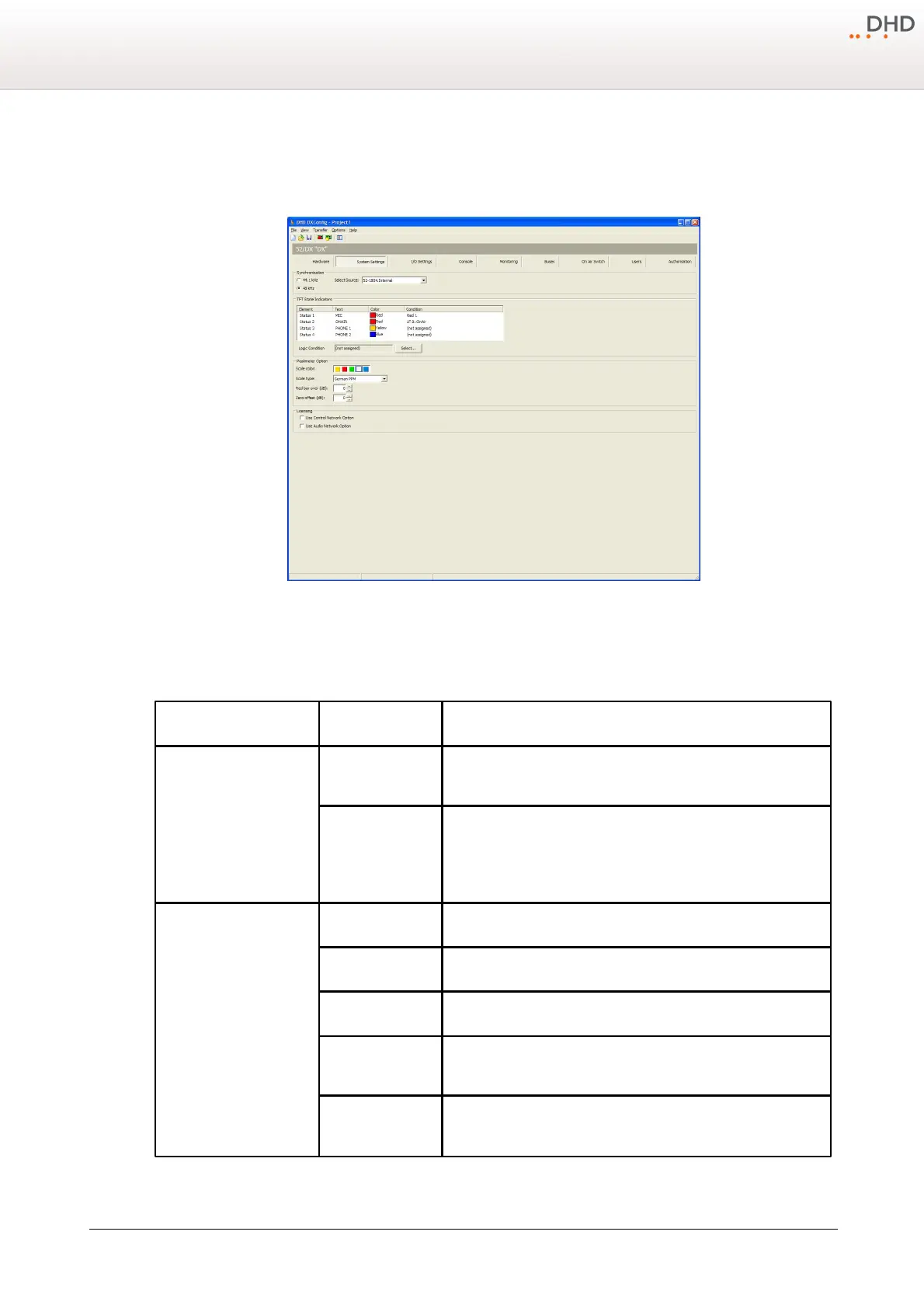
page, you can configure general options for your 52/DX.
DXConfig Software - System Settings
In the following table you can find the descriptions for these options.
Select here, which sample rate should be set for internal
synchronisation.
Select in this list, which sync source should be used:
· 52-180X.Internal - internal clock
· 52-180X.GA1 - Gigabit Audio-signal (optional)
· 52-180X.BNC Wordclock (rising edge) (optional)
· 52-180X.BNC Wordclock (falling edge) (optional)
· 52-180X.BNC AES/EBU (optional)
All four available status transparents are shown in this list.
Double-click on the default text to change it.
Double-click on the default color to change it.
Double-click on the default logic condition, the Logic sources window
opens. Select the desired logic and click assign.
Select a State indicator from the list and click
Select
to assign an
other logic source from the logic sources window.



 To Next Page