© 2013 DHD Deubner Hoffmann Digital GmbH
26
Series 52 - 52/DX Compact Mixing Console Manual
Specifications and design are subject to change without notice. The content of this document is for information only. The information presented in this document does not form part
of any quotation or contract, is believed to be accurate and reliable and may be changed without notice. No liability will be accepted by the publisher for any consequence of its use.
Publication thereof does neither convey nor imply any license under patent rights or other industrial or intellectual property rights.
10.1.2 View Menu
10.1.2.1 Maintenance Window
Using this command, you open the maintenance window. In this window, you have direct access to the modules of DHD
systems, important settings and services. These functions are of a great variety and are therefore dealt with in an own
chapter. (See Maintenance Window — Servicing Modules)
The functions that can be triggered from the maintenance window do not affect
an open device file. If you want to access maintenance functions in SXConfig
only, it is not necessary to load a device file.
You can also open or enable the maintenance window by pressing
F7
.
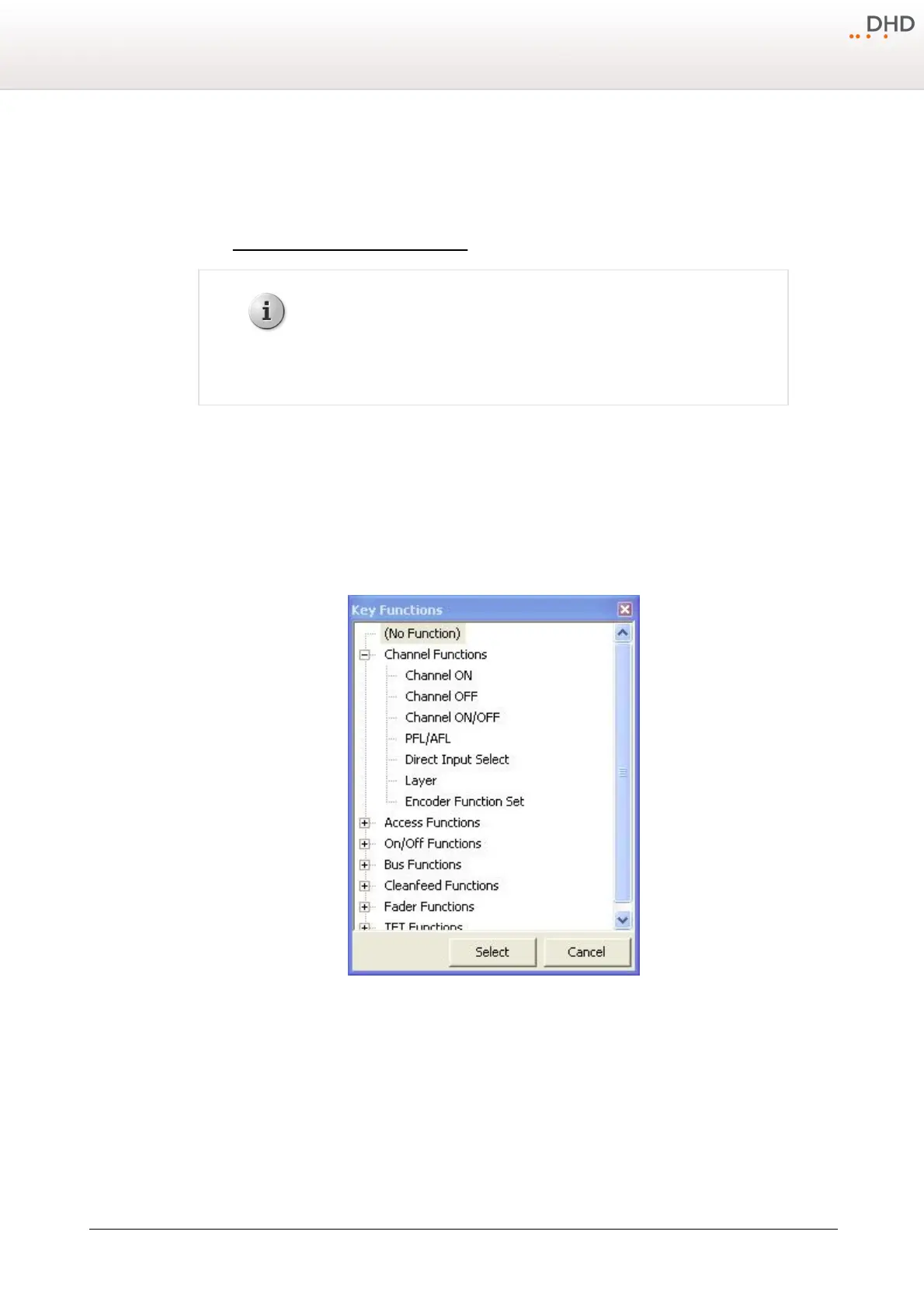
10.1.2.2 Key Functions
This window shows all
Key Functions
that are available for configuring the keys or TFT buttons of the device. A key
must be selected on the
Console
tab. The key functions are divided into groups according to their characteristics.
You can open or enable the window also by pressing
F8
.
Window Key Functions, selecting key functions.
10.1.2.3 Logic Sources
This window shows all internal logic signals that are available for configuring the device. The logic sources are grouped
according to their characteristics.
You can also open this window by pressing
F5
.



 To Next Page