Version 1.2.0 - 04.02.2013
21
Usage of USB audio on 52-1330
Specifications and design are subject to change without notice. The content of this document is for information only. The information presented in this document does not form part
of any quotation or contract, is believed to be accurate and reliable and may be changed without notice. No liability will be accepted by the publisher for any consequence of its use.
Publication thereof does neither convey nor imply any license under patent rights or other industrial or intellectual property rights.
9 Usage of USB audio on 52-1330
The 52-1330 has two USB audio ports. Each port can be used to connect a personal computer with the Multi-I/O Box of
the 52/DX for input and output of a stereo signal.
Connected to a PC, each USB audio port is recognised as an USB audio device, which can be used for playback and
recording in every audio software. You don't need any device driver for the device, standard windows audio driver are
used.
These USB audio ports can not be used for maintenance or control purposes.
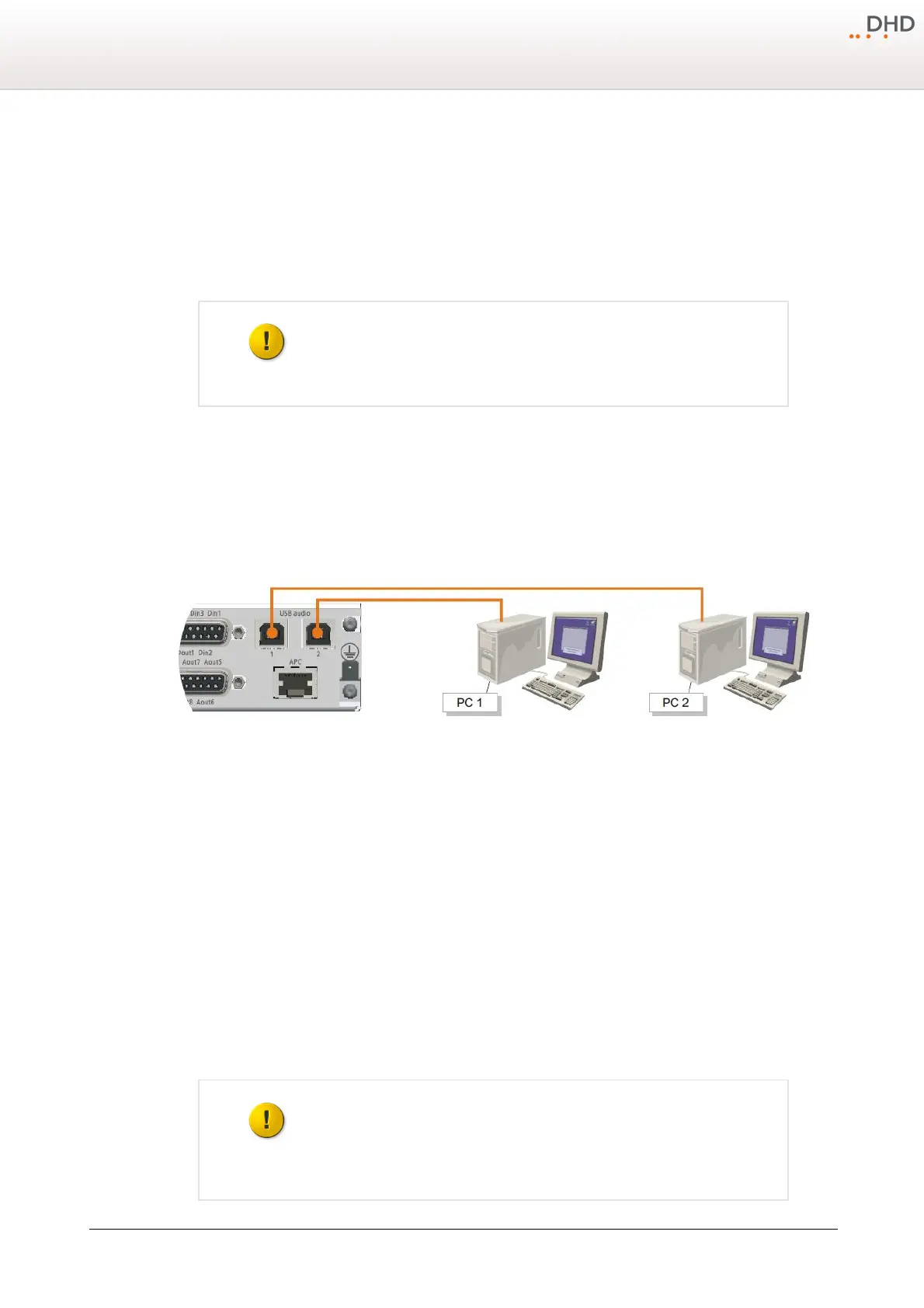
There are two options to use the USB audio port. Option 1 - Each USB audio port is connected to a separate PC and option
2 - both USB audio ports are connected to a single PC. You can find more information about these two options in the
following sections.
9.1 Option 1 - Each USB connected to a seperate PC
In this case, each USB audio port is connected to a separate PC.
Two PCs, each connected to an USB audio port of the 52-1330.
The following operation systems are supported for this option:
· Microsoft™ Windows™ 98SE/Windows Me (For Windows 98SE and Windows Me, the HID function is not fully functional
with the default class driver.)
· Microsoft Windows 2000 Professional
· Microsoft Windows XP Home/Professional (For Windows XP, use the latest version of the USB audio driver available
from the Windows Internet site, or apply Service Pack 1 or later.
· Microsoft Windows Vista™ Business
· Microsoft Windows 7™ Professional
To use the USB audio input or output, just connect one of the USB audio ports of the 52-1330 with an empty USB port on
your PC. Please use a standard USB cable for this connection. The USB audio port will be identified as an "USB Audio
CODEC" in windows.
9.2 Option 2 - Both USB connected to single PC
In this case, the two USB audio ports are connected to a single PC.
For the proper use of the both 52-1330 USB audio ports on one PC, Microsoft
Windows Vista (32 Bit) or Windows 7 (32/64 Bit) is essential.



 To Next Page