Version 1.2.0 - 04.02.2013
25
Configuration
Specifications and design are subject to change without notice. The content of this document is for information only. The information presented in this document does not form part
of any quotation or contract, is believed to be accurate and reliable and may be changed without notice. No liability will be accepted by the publisher for any consequence of its use.
Publication thereof does neither convey nor imply any license under patent rights or other industrial or intellectual property rights.
10.1.1.5 History
Using the
History
function in the
File
menu of DXConfig, you can log modifications of the configuration. This way,
you can later reproduce, which user made which modifications of the system at which time.
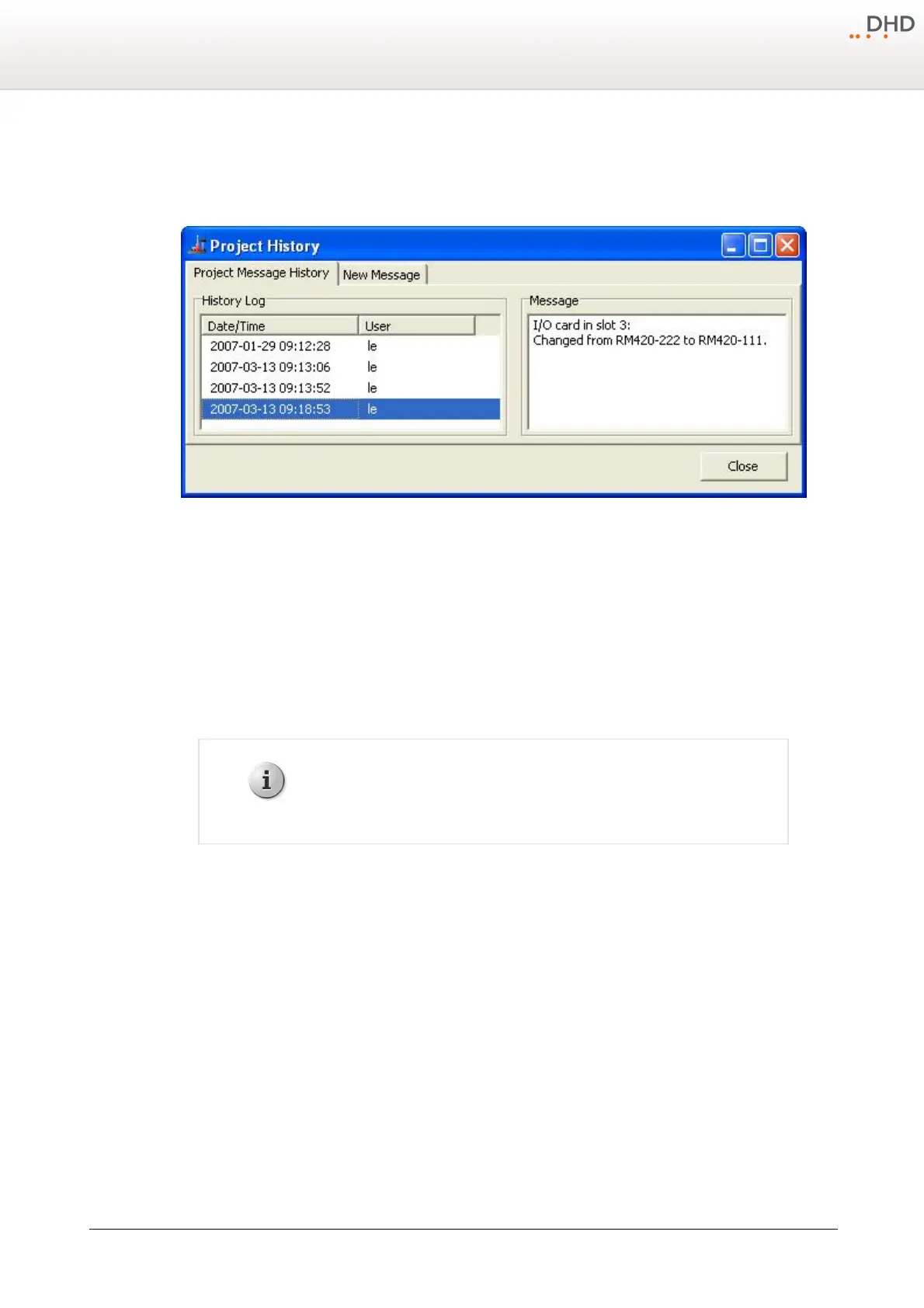
Project History, logging modifications during configuration.
In the
File
menu click
History
; the
Project History
window opens. On the
Project Message History
tab, in the
History Log
area, the single entries are shown with date and time, as well as the login name of the user
(Microsoft Windows Login) who created the entry. DXConfig itself logs some processes, for example when and by who a
configuration was originally created. Other changes that seem important to you can be inserted manually.
To do this, select the
New Message
tab, type the new message and click
Save
to log the text in the history. Click
Clear
to delete the whole text that is entered in the
Enter Message
box.
To show a message, on the
Project Message History
tab, select an entry in the
History Log
list. The text is
then shown in the
Message
box.
A history entry can not be changed or deleted, once the entry was saved.
10.1.1.6 Exit
This command quits the DXConfig software. A message prompting you to save an open device file is shown if its current
state is not saved yet.



 To Next Page