© 2013 DHD Deubner Hoffmann Digital GmbH
22
Series 52 - 52/DX Compact Mixing Console Manual
Specifications and design are subject to change without notice. The content of this document is for information only. The information presented in this document does not form part
of any quotation or contract, is believed to be accurate and reliable and may be changed without notice. No liability will be accepted by the publisher for any consequence of its use.
Publication thereof does neither convey nor imply any license under patent rights or other industrial or intellectual property rights.
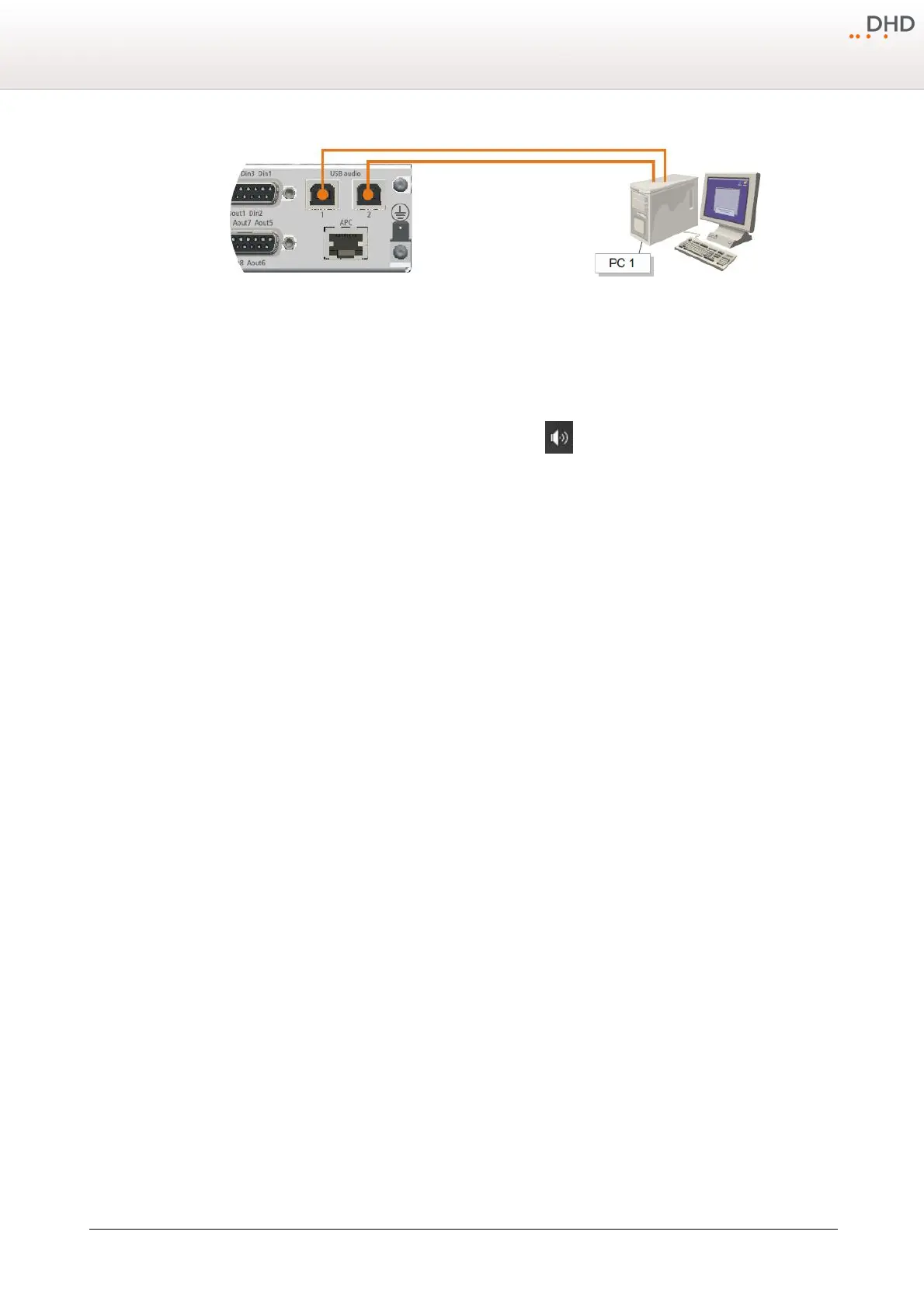
A single PC connected to the 2 USB audio ports of the 52-1330.
Each USB port will be identified as an "USB Audio CODEC". To use these two USB audio ports properly you should rename
these two USB Audio Devices. To connect the 52-1330 to your PC and rename the USB audio devices, follow these steps:
1. Connect USB port 1 on 52-1330 with an unused USB port on your PC with an standard USB cable.
2. In the Notification area next to the windows clock, right-click on the icon.
3. In the context menu select
Playback devices
. The
Sound
window opens.
4. On the
Playback
tab, select
Speakers-USB Audio CODEC
and click
Properties
. The
Speakers
Properties
window opens.
5. On the General tab, in the text box next to the speaker symbol, enter a distinctive name for the USB audio device, for
example 1330-1. Click OK.
6. Unplug the USB connection from USB port 1 on the 52-1330.
7. Connect the USB port 2 with a second USB cable to another USB port on your PC.
8. In the
Sound
window, on the
Playback
tab, select
Speakers-USB Audio CODEC
and click
Properties
. The
Speakers Properties
window opens.
9. On the
General
tab, in the text box next to the speaker symbol, enter a distinctive name for the USB audio device,
for example 1330-2. Click OK.
10.Reconnect the first USB cable to the USB port 1 of the 52-1330. In the
Sound
window both devices are available now.
As long as the USB audio devices are connected to the same USB port on the PC, they can be identified unambiguously in
windows.
9.3 Internal sample rate converter
By default, the input and output sample rate converter of the USB audio ports are set to
ON
. Because of that, the sample
rate of the PC can be chosen absolutely independent from the sample rate of the 52/DX.
Example:
The PC is using a sample rate of 44.1 kHz, while the 52/DX is running with a sample rate of 48 kHz. With default SRC
values the input signal from the PC to the 52-1330 will be converted from 44.1 kHz to 48 kHz. The output signal from the
52-1330 to the PC will be converted from 48 kHz to 44.1 kHz.



 To Next Page