Micronics C400 System Board Manual
Chapter 4: The BIOS Setup Utility
33
Running the Setup Program
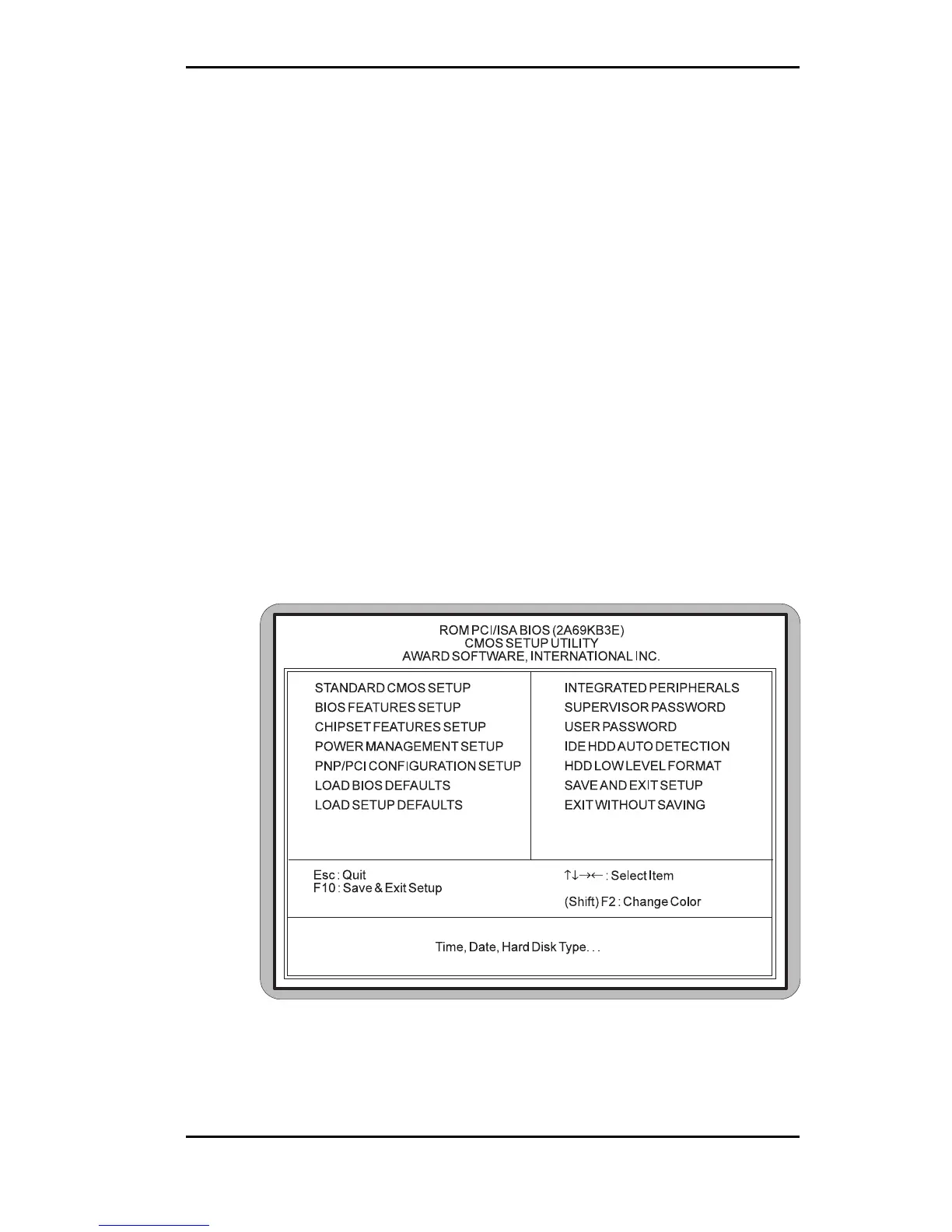
The Micronics C400 system board has six primary CMOS
configuration screens: main setup menu, Standard CMOS
Setup, BIOS Features Setup, Chipset Features Setup, PNP/
PCI Configuration and Integrated Peripherals screen.
In addition, there are four screens containing options that
do not have to be set unless you want to: the Power
Management Setup screen, the Supervisor Password, the
User Password and the IDE HDD Auto Detection screen.
The main menu screen also contains the following options:
Load BIOS Defaults, Load Setup Defaults, HDD Low Level
Format, Save & Exit Setup and the Exit Without Saving.
To select any of these screens or options, use the arrow keys
(<↑←↓→>) to move the highlight to the desired item and
press <ENTER>. NOTE: A brief description of each high-
lighted selection appears at the bottom of the screen.
Figure 4-2: CMOS Main Screen



 To Next Page