Digital Dream Standalone Motion Controller DDCS V3.1 DDCS V3.1 Users Manual
Page -36
3.3.3.1 Manually step the X axis
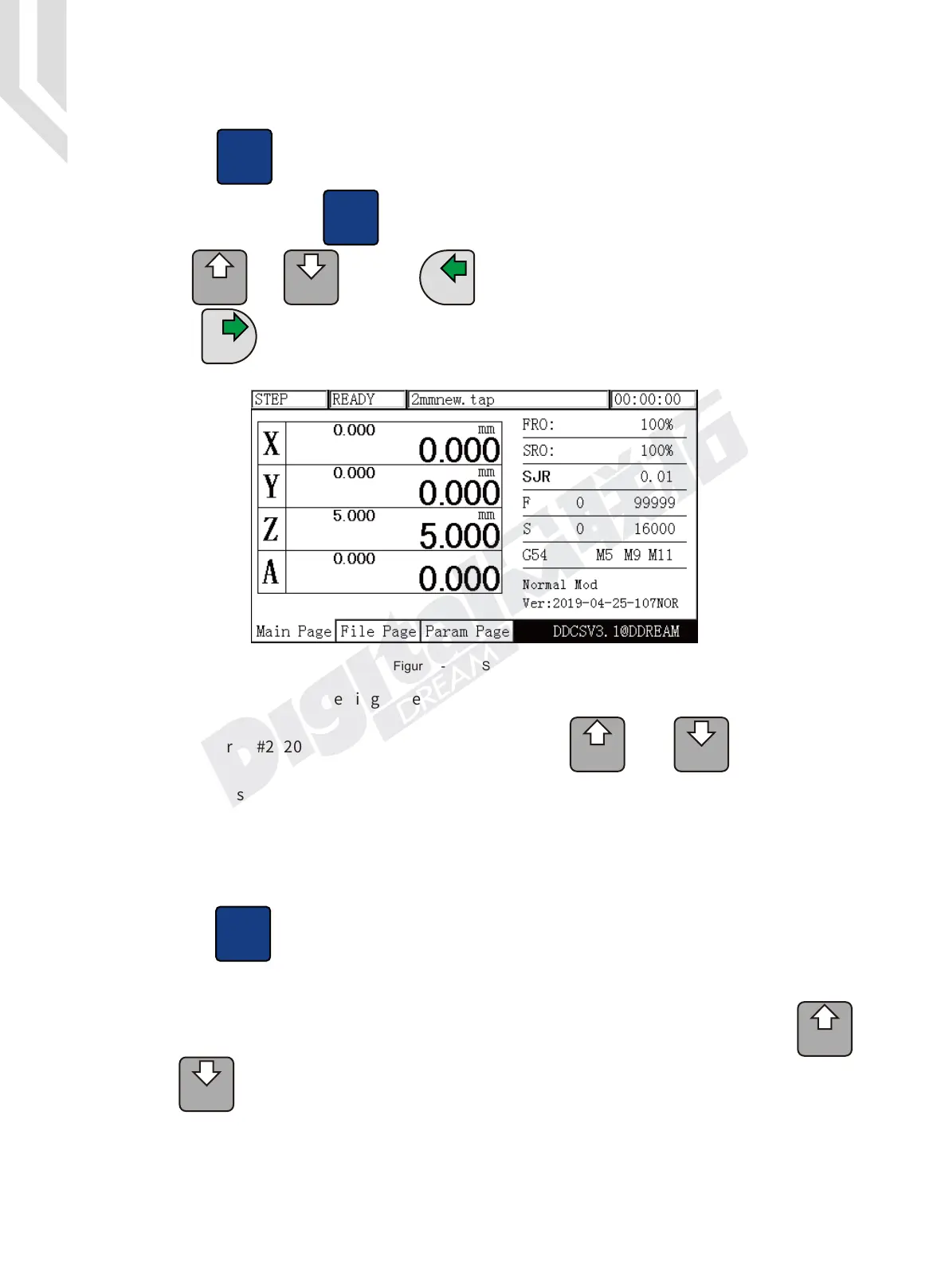
Press till “step” is displayed. In Figure 3-22 Step parameter shows the current step
rate (0.01mm). Press the button till SJR is highlighted and you can change the steps by
the key and . Press the key to move the X axis negative 0.01mm,and press
the key to move the X axis 0.01mm positive. Move Y Z and A in the same way.
Mode
Tab
A
+
A
SELECT
A
-
PROBE
MODIFY
Using the parameter setting page (see section 4), the step distance for each axis can be set
in parameters “#2020”,“#2021”,“#2022”,“#2023”.Press and the two keys to
shift the four setting values.
The detailed setting information Please check the Parameters Page.
A
+
A
SELECT
A
-
PROBE
MODIFY
X-
GOTO 0
X+
X
Figure 3-22 STEP Mode
3.3.3.2 Continuous operation of the X axis
Click till CONT is displayed. The feed status displays “CONT”. See
Figure 3-23. You can now move the axis continuous with the arrow keys.
Adjust the Jog speed by highlighting SJR and modify the jog speed with
and . All other axes can be moved in the same way.
Mode
A
+
A
SELECT
A
-
PROBE
MODIFY


 To Next Page
 Loading...





