Digital Dream Standalone Motion Controller DDCS V3.1 DDCS V3.1 Users Manual
Page -45
3.3.5.1 Go To Zero
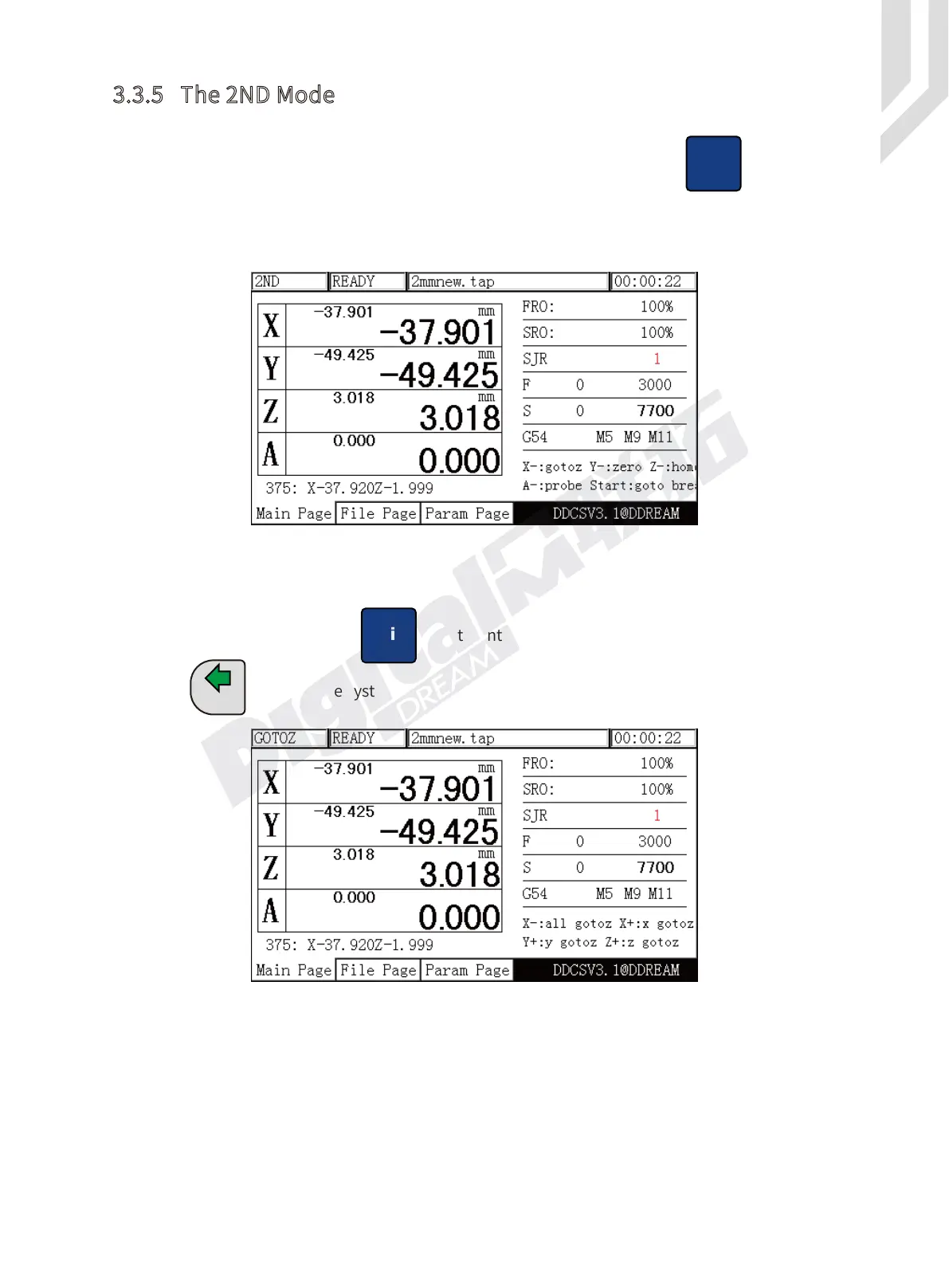
In Ready Mode,Press the key to enter into the 2ND Mode.
Press one time,the system turns to go to zero mode,as Picuture 3-42 shows.
In Go To Zero Mode,there are two options.The users can make all Axis Go to Zero,also can
choose one single axis Go To Zero.
Figure 3-41 2ND Mode
Figure 3-42 Turns to Go To Zero Mode
X-
GOTO 0
3.3.5 The 2ND Mode
The 2nd key opens several functions.
In READY mode, the Operation Window displays “Normal Mode”. Press to enter the
2nd mode. The Operation Window will show: X-:gotoz Y-:zero Z-: home A-:probe start:goto break
and the Feed Status column displays “2ND”. See Figure 3-41. You can now make your choice which
may open new options accordingly.
Shift
Shift


 To Next Page
 Loading...





